Digital Freight Forwarder 2026: What It Means, Who Leads, and What Customers Expect


A digital freight forwarder is a freight forwarder that runs quoting, booking, documentation, tracking, customs filing, and accounting on a single cloud platform instead of email, phone calls, and disconnected tools. The "digital" label describes the operating model, not the cargo. A digital forwarder still moves the same ocean and air freight through the same ports on the same vessels. The difference is how it runs the workflow behind every shipment. In 2026 the digital label also carries three specific customer expectations: quotes returned in minutes instead of hours, real time shipment visibility through a branded portal, and self service access to documents and invoices without picking up the phone.
Key Takeaways
- A digital freight forwarder runs quoting, booking, tracking, customs filing, and accounting on one cloud platform instead of stitching together 5 to 10 disconnected tools.
- The three defining traits in 2026 are minute scale quoting, real time tracking, and a self service customer portal.
- The 2026 named digital forwarders customers benchmark against include Flexport, Forto, Zencargo, and ShipBob for e commerce fulfillment.
- Traditional forwarders do not need to rebrand. They become digital by moving their existing workflow onto a modern freight management platform.
- Customer expectations shifted permanently. A 24 hour quote turnaround loses business against a competitor quoting in 15 minutes.
- GoFreight is the software layer that lets a traditional forwarder deliver the digital experience customers now expect, without giving up personal service or industry knowledge.
What Is a Digital Freight Forwarder?
Digital freight forwarder is a freight forwarder whose customer facing and operational workflow runs on cloud software. Quotes are generated automatically from ingested carrier rates. Bookings, documents, customs filings, invoices, and status updates all live on one shipment record. Customers self serve through a branded portal instead of emailing for updates.
The category emerged around 2013 with Flexport, which was the first well funded venture to package the forwarder workflow inside a customer facing app. It expanded across regions with Forto in Europe (2016) and Zencargo in the UK (2017). By 2026 the label describes a competitive expectation more than a business model. Any forwarder that cannot quote in minutes, show live tracking, and hand customers a self service portal is losing bids to one that can.
The four capabilities customers now use to decide whether a forwarder is "digital enough":
- API driven rate management. Contract and spot rates flow into the system automatically. A quote is a query, not a spreadsheet lookup.
- Quote turnaround measured in minutes. The rate engine returns a price with vessel schedule and total landed cost in one screen.
- Real time shipment visibility. Container milestones (gate in, loaded, vessel ETA, discharge, empty return) update automatically from carrier feeds.
- Self service customer portal. Shippers pull status, documents, invoices, and new quotes without emailing the operator.
Every 2026 buyer conversation opens with these four. A forwarder using cloud based Ocean Freight Management Software and Air Freight Management Software can meet all four without hiring an engineering team or rebranding the business.
Digital Forwarders vs Traditional Forwarders
The clearest way to define a digital freight forwarder is by contrast with the traditional model. Both move the same cargo through the same ports on the same vessels. The operational layer is where they diverge.
| Dimension | Traditional Forwarder | Digital Forwarder |
|---|---|---|
| Quoting speed | 2 to 8 hours. Rates live across email, contract PDFs, spreadsheets. | 2 to 15 minutes. Rate engine auto quotes from centralized rate sheet. |
| Transparency | Customer emails or calls for status updates. | Live tracking portal, automated milestone alerts. |
| Personal service | Dedicated operator, phone first, relationship led. | Support team, ticket driven, portal first. Named account rep at higher tiers. |
| Industry knowledge | Deep, lane specific, carried in the operator's head. | Documented in the platform, applied consistently across shipments. |
| Pricing model | Negotiated per shipment, often opaque. | Transparent, published or quoted with itemized surcharges. |
| Documentation | Word templates, manual data entry on BL and AWB. | Auto populated from the shipment record. |
| Best for | Complex lanes, project cargo, buyers who value a single point of contact. | Repeat lanes, e commerce and DTC, buyers who value speed and self service. |
Most freight forwarders in 2026 are not purely one or the other. They sit somewhere on a spectrum, running a modern platform in operations while retaining the personal touch that traditional buyers still value.
2026 Leading Digital Freight Forwarders
These are the digital native forwarders customers name in 2026 buyer conversations. Positioning descriptions are based on each company's own public messaging.
Flexport
The category creator. Founded 2013 in San Francisco. Positions as a full service digital freight forwarder handling ocean, air, trucking, customs brokerage, and warehousing under one roof, with a customer facing platform for tracking, documents, and analytics. Best known for a design led customer experience and a strong presence in the DTC and e commerce shipper segment. Global footprint across the US, Europe, and Asia.
Forto
Berlin based, founded 2016. European counterpart to Flexport with strong coverage of intra Europe and Asia Europe lanes. Positions on transparent pricing, real time tracking, and a workflow platform that combines forwarding with visibility. Serves mid market shippers moving between Asia, Europe, and North America.
Zencargo
UK based, founded 2017. Positions as a digital forwarder combined with a control tower for supply chain planning. Emphasizes data driven decision making, PO management, and sustainability reporting alongside the forwarding workflow. Strong in the UK and European retail segments.
ShipBob
Chicago based, founded 2014. Slightly different category, ShipBob is a technology enabled 3PL and fulfillment network with global freight forwarding built in for its e commerce brand customers. Customers see one platform covering freight in, warehousing, and last mile fulfillment. Frequently benchmarked against Flexport by DTC brands.
Uber Freight vs Flexport
A common 2026 buyer question is how Uber Freight compares with Flexport. The two operate in different lanes and are not direct competitors for the same cargo. Flexport is an international freight forwarder handling ocean, air, trucking, customs brokerage, and warehousing across global lanes. Uber Freight is primarily a US truckload brokerage and shipper facing TMS, matching shippers with domestic carriers rather than moving cargo internationally. Buyers asking "which offers better features, pricing, and operational reliability" should start with the shipment type. International ocean or air freight from Asia into the US is Flexport territory. Domestic US truckload capacity, spot rate booking, and shipper side TMS features are Uber Freight territory. A shipper with both needs typically uses each platform for its native lane rather than picking one for everything.
All four operate as forwarders in their own right. They own the customer relationship, quote the shipment, book the carrier, and invoice the shipper. The traditional forwarder question is no longer whether digital forwarders will exist. It is what a traditional forwarder needs to match on customer experience.
What Customers Expect in 2026
The customer expectation bar reset over the past three years. Shippers now benchmark every forwarder, digital or traditional, against the same five service standards.
-
1Quotes in 5 to 15 minutesA 24 hour quote turnaround loses business in 2026. Buyers request multiple quotes, book the first credible one that returns, and move on. The rate engine, not the operator, has to answer the request.
-
2Real time tracking on a portalContainer milestones and air waybill status refresh automatically from carrier feeds. Customers open the portal, see the state, and never call. Legacy email updates now read as neglect.
-
3Self service documents and invoicesBills of Lading, commercial invoices, packing lists, and freight invoices are downloadable from the portal. Customers do not want to email accounts payable for a duplicate copy.
-
4Transparent, itemized pricingBuyers want to see the base ocean or air rate, every surcharge (BAF, CAF, THC, ISPS), and the total landed cost. Hidden line items after booking end the relationship.
-
5Mobile ready portal accessShipping managers approve quotes and check status from a phone. A portal that only works on desktop, or forces a download, is a competitive gap.
These expectations are no longer aspirational. They are the baseline. A forwarder that meets four out of five, but misses one, still loses to a competitor that meets all five.
Trends in Digital Freight Forwarding for 2026
Three forces reshaped the digital freight forwarding market between 2023 and 2026. First, venture capital investment cooled after the 2022 freight rate correction. Flexport, Forto, and Zencargo all restructured, and the market moved from land grab growth to unit economics. That opened room for traditional forwarders running on cloud freight management software to compete on price and service without matching venture backed marketing budgets.
Second, AI moved from a demo feature to a baseline capability. Contract rate PDFs are now parsed automatically into structured rate sheets. Shipping instructions and commercial invoices are read by document extraction models and posted to the shipment record without an operator retyping fields. Email intake automation reads inbound quote requests and drafts responses in the operator's queue.
Third, buyer behavior shifted permanently to portal first. Shippers do not want a longer sales conversation. They want a working quote, a login, and a shipment record they can share internally. The forwarders growing in 2026 are the ones that closed the gap between "we do digital" marketing and the actual customer experience on the second visit to the portal.
The global digital freight forwarding market is estimated in the low tens of billions of USD in 2026, with mid single digit annual growth. The winners are no longer defined by who raised the largest round. They are defined by who runs the tightest quote to cash workflow.
KPIs Digital Freight Forwarders Track
Digital forwarding platforms surface a common set of KPIs that shippers and operators watch daily. The six that appear in most 2026 dashboards:
- Quote turnaround time. Median minutes from customer request to quote sent. A median under 15 minutes is the 2026 benchmark.
- Quote win rate. Percentage of sent quotes that convert to booked shipments. Segment by lane, customer, and shipment type.
- Margin per shipment. Gross margin captured after carrier cost, surcharges, and pass through fees. Watched at the shipment level, not just at monthly rollup.
- On time performance. Percentage of shipments arriving within the promised window. Split by carrier and lane to catch degrading service.
- Milestone data completeness. Percentage of shipments with full carrier milestones (gate in, loaded, ETA, discharge, empty return). Gaps mean the customer portal shows silence.
- Days sales outstanding. Days between invoice issued and payment received. Automation of invoicing and portal payments compresses DSO.
These KPIs are what a forwarder shows a shipper in a quarterly business review to prove the digital experience is delivering. Without them, "we run on a platform" is a claim, not evidence.
Can Traditional Forwarders Become Digital?
Yes, and this is the most important 2026 point. "Digital freight forwarder" is not a fixed category with a moat. It is a set of customer facing capabilities that any traditional forwarder can deliver by moving its workflow onto a modern freight management platform.
The transformation does not require a rebrand, new sales channel, or engineering team. A regional forwarder with 30 employees can deliver every 2026 customer expectation using cloud based freight management software:
- Quotes take 2 to 8 hours because rates live in email
- Customers call the operator for status updates
- Documents emailed as PDFs on request
- Manual data entry across 5 to 10 systems
- Losing bids to Flexport and Forto on speed
- Rate engine returns quotes in minutes
- Customers self serve on a branded portal
- Documents auto generated, available in the portal
- One shipment record from quote to invoice
- Competing on the same customer experience as digital natives
The forwarder keeps its lane expertise, its customer relationships, and its brand. What changes is the operational layer underneath. The 2026 winners in the traditional forwarder segment are the ones who make this transition without waiting for a competitor to force it.
The GoFreight Angle: Software for Digital Ready Forwarders
GoFreight is not a digital freight forwarder. GoFreight is the cloud software that traditional forwarders and NVOCCs use to deliver the digital experience customers expect in 2026. More than 1,000 forwarders run on the platform across the US, Mexico, Greater China, Taiwan, Singapore, Indonesia, Vietnam, Malaysia, Thailand, and Cambodia.
The four 2026 customer expectations map directly to GoFreight capabilities that a forwarder can turn on without engineering work:
- Minute scale quoting. AI reads carrier contract PDFs and turns them into structured rate sheets. Combined with live spot rates, the Rate Management Quoting Software for Forwarders returns customer quotes in minutes with vessel schedule attached.
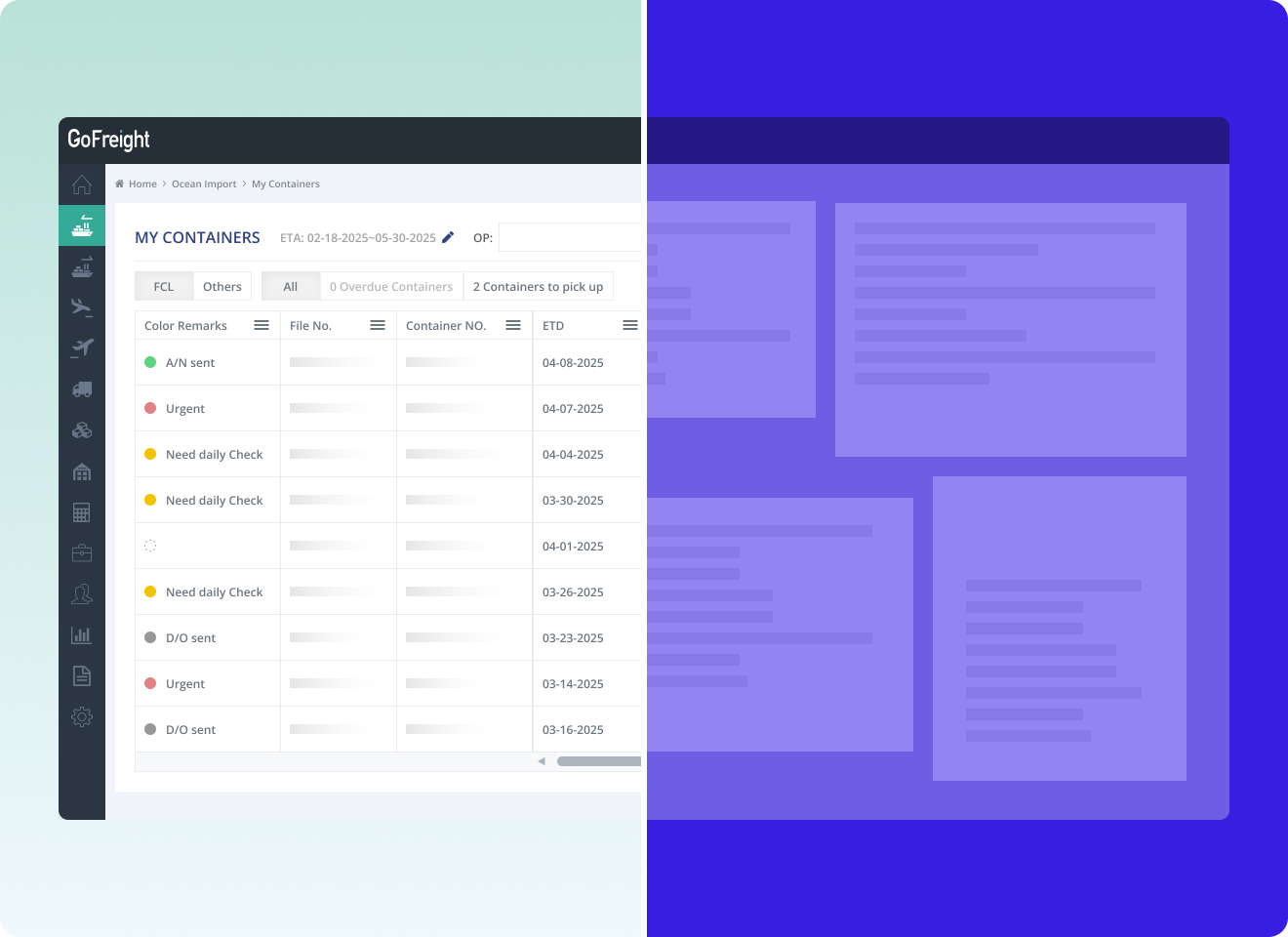
- Real time visibility. Container milestones, air waybill status, and demurrage clocks stream in from carriers and integration partners. Operations sees exceptions before the customer calls.
- Self service portal. A branded Customer Portal Software for Forwarders lets shippers pull quotes, book, track, download documents, and pay invoices without emailing the operator. The forwarder's brand, not GoFreight, sits on the portal.
- Open API and no code integrations. Rates, shipments, and events flow between the forwarder and its customers or partners over documented APIs. Freight Integrations Software for Forwarders covers carrier EDI, customs filing (AES, ISF, AMS, AFR JP24), accounting sync to QuickBooks, and shipper API access without a middleware layer.
Operations sees the impact in the reporting layer. Freight Analytics Software for Forwarders shows quote win rate, margin per shipment, aging AR, and on time performance in one dashboard. The 2026 positioning is simple. Digital forwarders like Flexport built their own platforms. Traditional forwarders do not need to. They use GoFreight and get the same customer experience without giving up personal service or industry knowledge.
See how GoFreight lets a traditional forwarder deliver the digital experience customers now expect. Quoting in minutes, real time tracking, and a branded self service portal on one cloud platform.
Request a GoFreight Demo →Frequently Asked Questions
What is a digital freight forwarder?
A digital freight forwarder is a freight forwarder that runs quoting, booking, documentation, tracking, customs filing, and accounting on a single cloud platform instead of email, phone calls, and disconnected tools. The label describes the operating model, not the cargo. A digital forwarder still moves ocean and air freight through the same ports on the same vessels. The difference is how it runs the workflow behind every shipment.
Who are the leading digital freight forwarders in 2026?
The digital native forwarders customers benchmark against in 2026 are Flexport (US, category creator), Forto (Berlin, strong across intra Europe and Asia Europe lanes), Zencargo (UK, forwarder combined with a supply chain control tower), and ShipBob (Chicago, technology enabled 3PL with global freight built in for e commerce brands). All four own the customer relationship end to end, quote the shipment, book the carrier, and invoice the shipper.
Is Flexport the same as a traditional freight forwarder?
Operationally yes, experientially no. Flexport moves the same cargo through the same ports on the same vessels as any traditional forwarder. The difference is the customer facing platform. Quotes are returned in minutes rather than hours, tracking is live on a portal rather than emailed on request, and documents and invoices are self service. The freight itself is identical.
What do customers expect from a digital freight forwarder in 2026?
The five expectations customers now use to benchmark every forwarder, digital or traditional, are quotes returned in 5 to 15 minutes, real time shipment tracking on a portal, self service access to documents and invoices, transparent itemized pricing with all surcharges visible, and mobile ready portal access. A forwarder that meets four out of five still loses to one that meets all five.
Can a traditional forwarder become a digital freight forwarder?
Yes. Digital freight forwarder is not a fixed category with a moat. It is a set of customer facing capabilities that any traditional forwarder can deliver by moving its workflow onto a modern freight management platform. A regional 30 person forwarder can meet every 2026 customer expectation without a rebrand, new sales channel, or engineering team. The forwarder keeps its lane expertise and customer relationships. What changes is the operational layer underneath.
Is GoFreight a digital freight forwarder?
No. GoFreight is the cloud software that traditional freight forwarders and NVOCCs use to run their operations digitally. More than 1,000 forwarders across the US, Mexico, Greater China, Taiwan, Singapore, Indonesia, Vietnam, Malaysia, Thailand, and Cambodia deliver quoting in minutes, real time tracking, and self service customer portals on the GoFreight platform. GoFreight enables the digital experience without competing with its customers for freight bookings.
What is a digital freight forwarder platform?
A digital freight forwarder platform is the cloud software layer a forwarder runs its business on. Core modules include rate management, booking, documentation (HBL, MBL, HAWB, MAWB), customs filing (AES, ISF, AMS, AFR JP24), container and shipment tracking, branded customer portal, accounting integration (QuickBooks at minimum), multi office support, and reporting. Modern platforms in 2026 also include AI document extraction, email intake automation, and contract rate parsing in the base subscription rather than as premium add ons.
What features should I look for in a digital freight forwarding platform?
The nine features to check on any digital freight forwarding platform in 2026 are automated rate management with contract and spot rate ingestion, quote turnaround under 15 minutes, one shipment record from quote through invoice, real time container and air waybill tracking, a branded self service customer portal, customs filing (AES, ISF, AMS, AFR JP24), accounting integration with QuickBooks or SAP, AI document extraction for shipping instructions and invoices, and open API access for shipper and partner integrations. A platform missing any of the first five loses bids to one that has all nine.
What are the best tools for digital freight forwarding?
The tools split by user. Shippers looking to book freight directly use digital freight forwarders such as Flexport, Forto, Zencargo, and ShipBob. Forwarders running the operations behind the customer experience use a cloud freight management platform (GoFreight is built for this), a rate benchmarking service such as Xeneta or Freightos, and a multi carrier container tracking feed. The strongest 2026 stack combines a platform of record, a rate benchmark, and a container visibility feed rather than one tool trying to do everything.
What are the top digital freight forwarding platforms available in 2026?
For shippers, the most named digital freight forwarding platforms in 2026 are Flexport, Forto, Zencargo, and ShipBob. For forwarders running their own operations, the most named cloud freight management platforms are GoFreight (Ocean, Air, LCL, customs, portal, accounting on one platform), CargoWise, Magaya, and Descartes. Shippers evaluate the first list. Forwarders evaluate the second list. The two questions are related but not interchangeable.
What are the common KPIs tracked in digital freight forwarding platforms?
The six KPIs digital freight forwarding platforms track by default in 2026 are quote turnaround time (median minutes from request to quote), quote win rate (percentage of quotes booked), margin per shipment, on time performance, milestone data completeness (percentage of shipments with full carrier milestones), and days sales outstanding. Together they answer whether the digital experience is winning bids, protecting margin, and paying on time.
How do you automate freight booking and tracking with a digital freight forwarding platform?
Automation happens in three layers. First, rate management. Contract PDFs and spot rates are ingested automatically so a quote is a lookup, not a manual price build. Second, booking. The confirmed quote generates the shipment record, HBL or MBL draft, and carrier booking request without re keying data. Third, tracking. Container milestones and air waybill status stream in from carrier and partner feeds and update the shipment record and customer portal in real time. Operators only touch the shipment when an exception fires, not on the routine happy path.
What is the process for onboarding with a digital freight forwarding service?
Onboarding a shipper onto a digital freight forwarder typically takes one to three weeks. The forwarder captures the shipper's lane profile, cargo type, Incoterms, customs broker of record, and preferred carriers. Rate agreements are loaded or negotiated. Portal users are provisioned with role based access for booking, tracking, documents, and invoices. The first shipment runs in supervised mode with both the operator and the customer watching the milestones. From shipment two onward the customer books through the portal and the operator only intervenes on exceptions.
How does Uber Freight compare with Flexport for digital freight management?
Uber Freight and Flexport operate in different lanes and are not direct competitors for the same cargo. Flexport is an international freight forwarder handling ocean, air, trucking, customs brokerage, and warehousing across global lanes. Uber Freight is primarily a US truckload brokerage and shipper facing TMS, matching shippers with domestic carriers rather than moving cargo internationally. A shipper with both international and domestic needs typically uses each platform for its native lane rather than picking one for everything.