
Prerequisites
The report is designed for reviewing usage volume by product and date range. It is intended solely for usage-count lookup and export. Only users with the General Manager or Accounting Manager role can access this report. It is not assignable to other roles.
Steps to Access the Billing Usage Report
- Navigate to the Report tab.
- Select Advanced Report.
- Choose [LA] Customer Billing Usage Report.
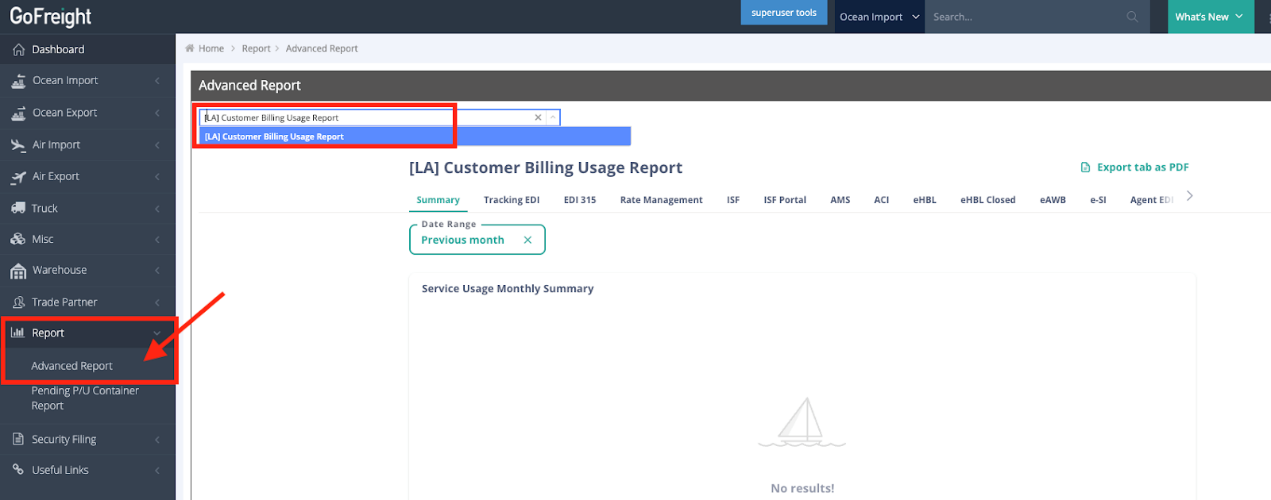
- Select the desired Date Range to view the results.
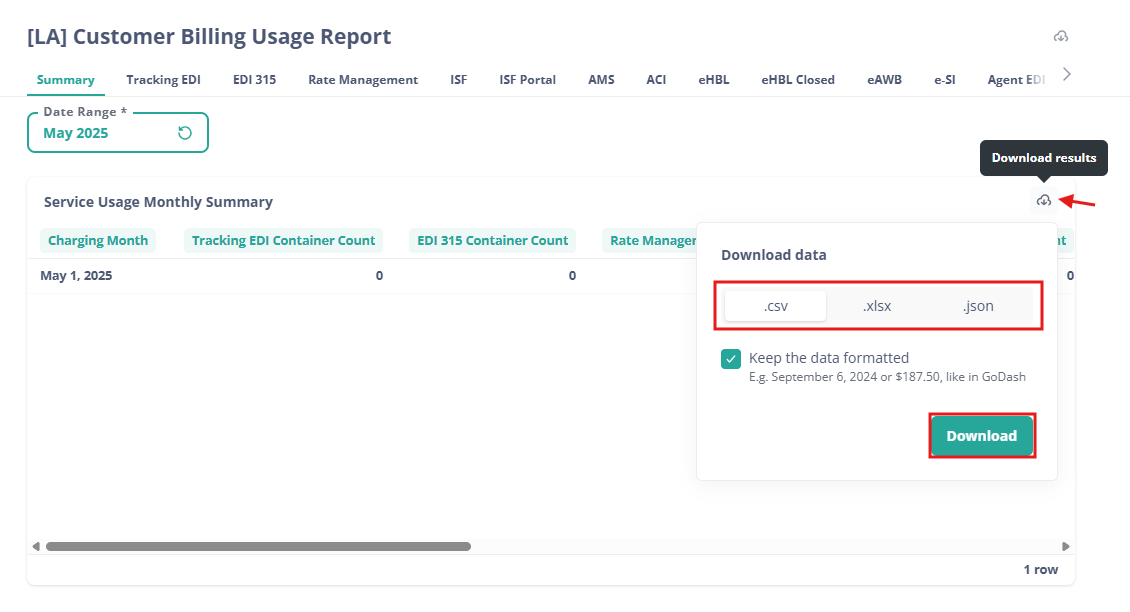
- To download the results, hover over the table and click Download results.
- Choose the preferred data format and click Download.
Frequently Asked Questions
Q: How can I find the number of Tracking EDI usages for May and June?
A: Users with General Manager or Accounting Manager roles can directly check this information using the tool. Follow these steps:
- Go to Report > Advanced Report > [LA] Customer Billing Usage Report.
- Select the product name, e.g., Tracking EDI.
- Select the date range, e.g., May 2025 or June 2025.
- Click the three dots on the right-hand side to download the report.
Note: This tool is only available to users with General Manager or Accounting Manager roles. Please ask a user with the appropriate role for assistance if needed.
You might also be interested in:
- How to Generate a Volume and Profit Report?
- Employee Performance Report User Manual