
Batch Sending Arrival Notices
If you want to send multiple arrival notices to your customers, you can easily do so from the shipment list. Please follow the instructions below:
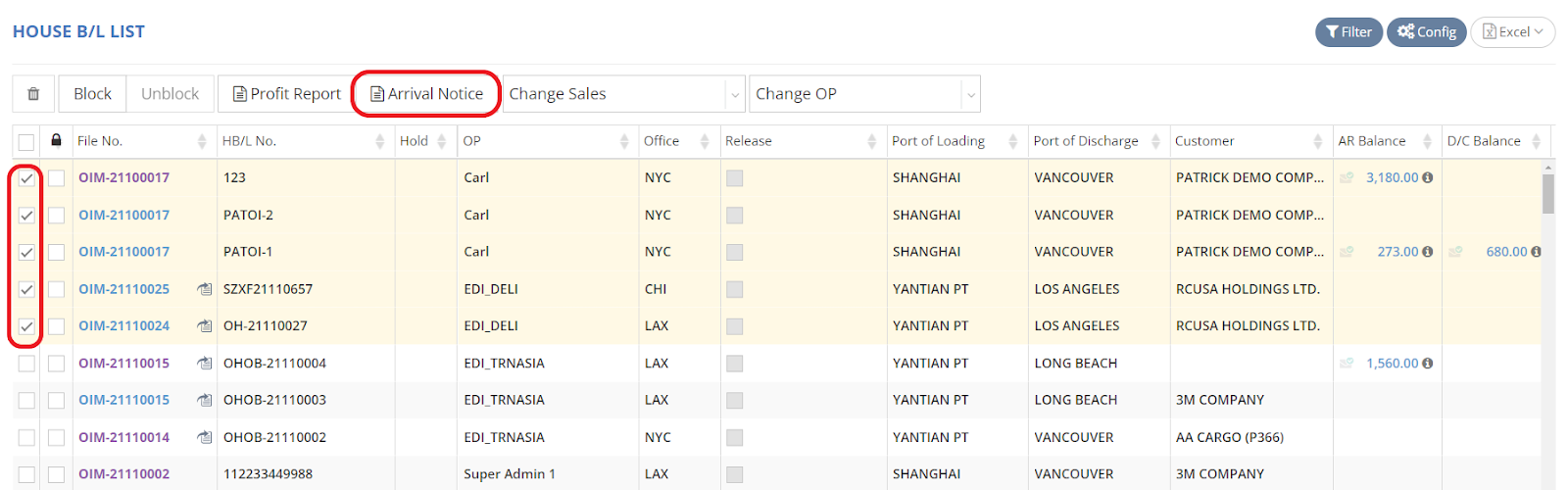
- In the “House B/L List” (House Bill of Lading List), select the multiple shipments for which you wish to send, download, or print arrival notices in the first column, then click on the “Arrival Notice” button.
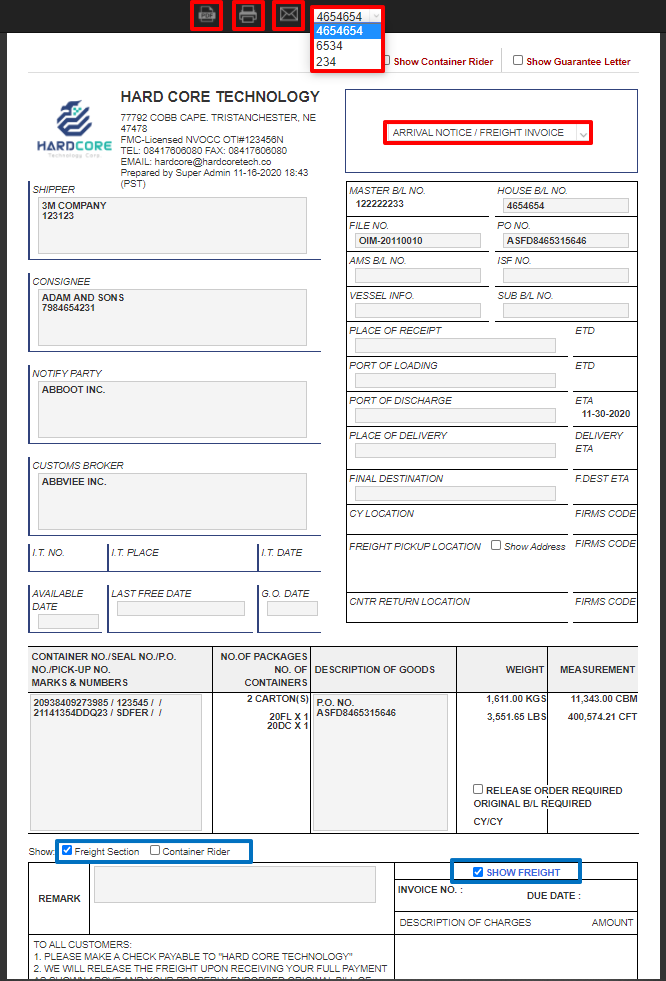
- If you would like to review each arrival notice before proceeding, click on the column at the top to change your view. You can then select “Download PDF,” “Print PDF,” or “Email” based on your needs.
You might also be interested in:
- How to Send a Document via Email in GoFreight?
- Auto-Saved Generated Documents to the Doc Center
- How to Use the House Bill of Lading (House B/L) List in Ocean Shipment