
To change the ship mode (FCL, LCL, FAK or BULK) of your shipment, please follow the instructions below:
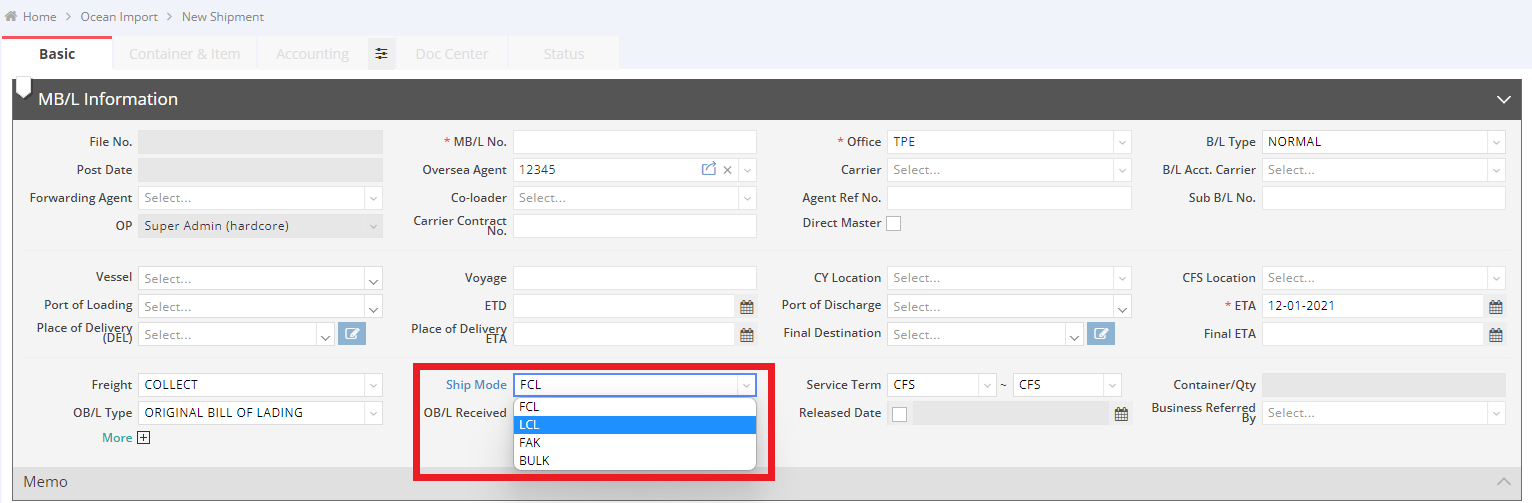
- Select the “Ship Mode” option and choose the desired type in the MB/L (Master Bill of Lading) section. Example: Change from “FCL” to “LCL”
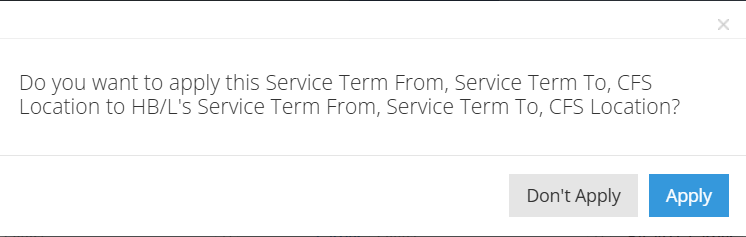
- A reminder message will pop up asking: “Do you want to apply this Service Term From, Service Term To, CFS Location to HB/L’s (House Bill of Lading) Service Term From, Service Term To, CFS Location?” Click “Apply” or “Don’t Apply” to proceed.
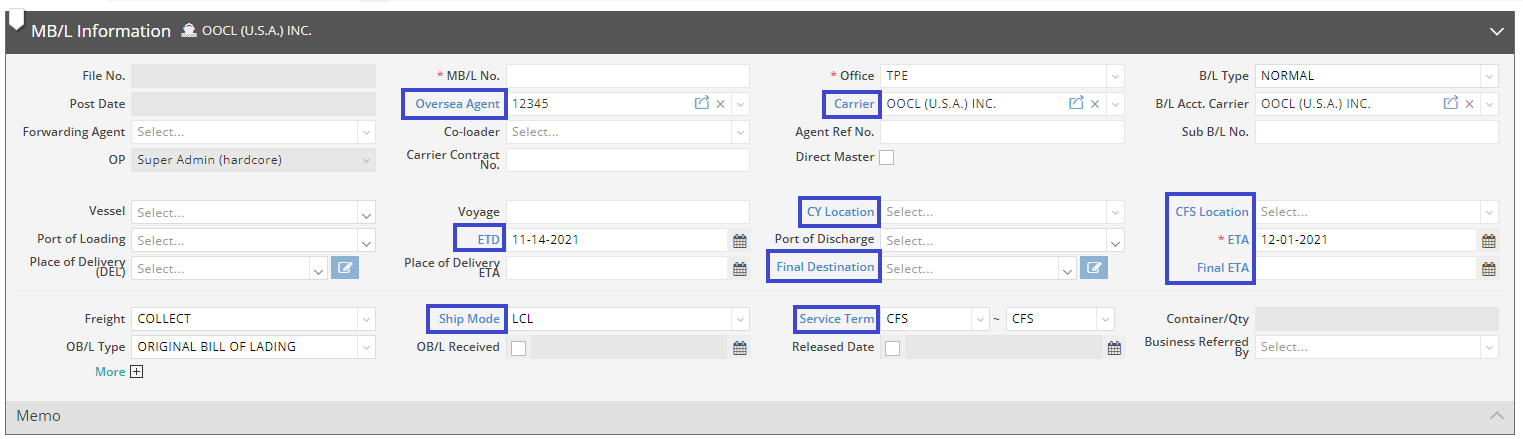
- Some columns will turn blue, indicating that they are relevant for LCL shipments and might need to be filled in. However, completing these fields is not mandatory.
You might also be interested in:
- How to Add a New Shipment in Ocean Import or Ocean Export?
- How to Complete Container Information?
- Ocean Import – Shipment Entry Page