
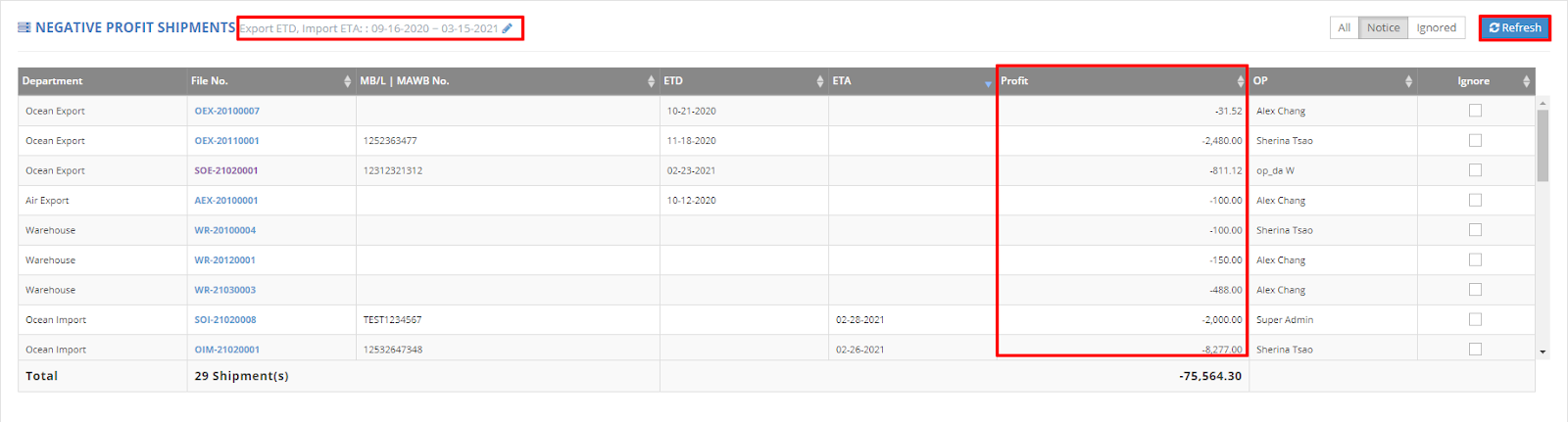
In the Dashboard, navigate to the section labeled "Negative Profit Shipments." This section displays any shipments with a negative profit total for a specified time period.
Intended Audience: This report is primarily designed for General Managers, Sales Managers, and Sales.
You can quickly identify which shipments are generating negative profits and understand the reasons behind them.
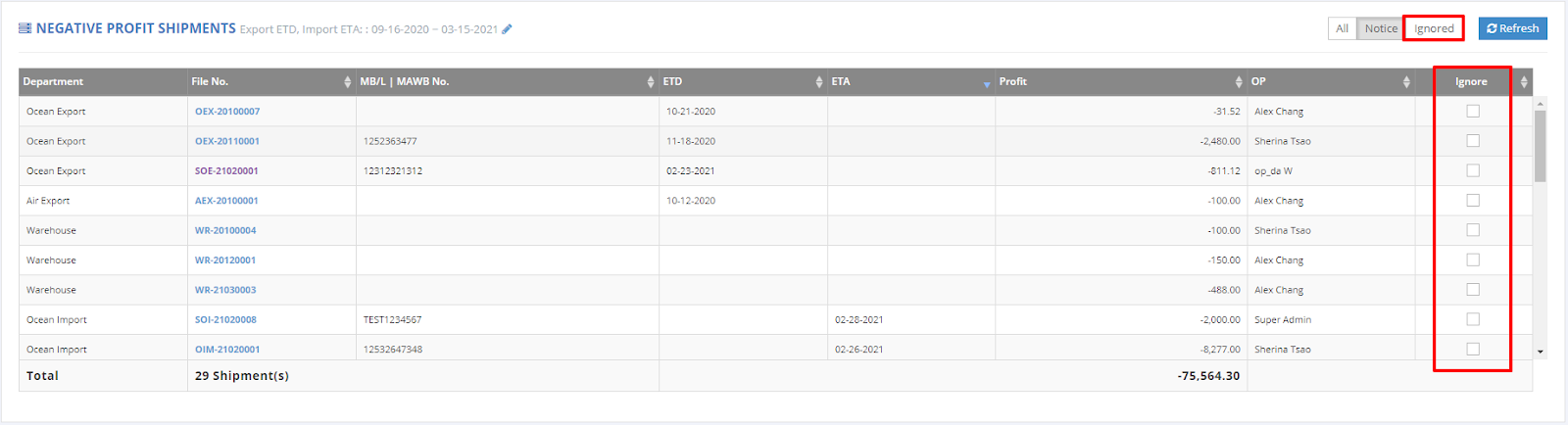
If you prefer not to view negative profit shipments, simply check the 'Ignore' box to exclude them from your report.
For a visual guide on this feature, please refer to the following video:
You might also be interested in:
- How to Use GoFreight's Dashboard for Performance Analysis?
- How to Review Profit Reports for Specific Shipments under List View?
- How to Generate an HB/L Charge Report in Excel?