
Follow the steps below to configure the quotation items:
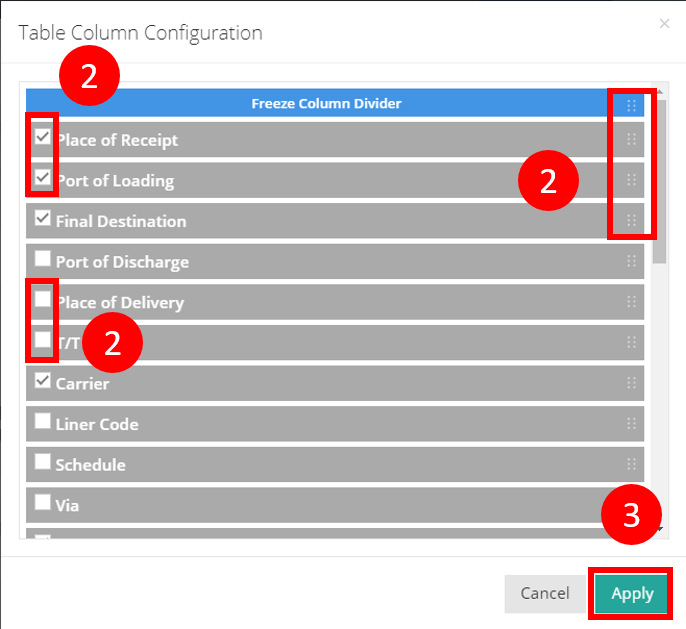
- Click on Config to open the configuration pop-up screen “Table Column Congifuration”.

- Check the corresponding boxes to select the items you want to display. Uncheck any items you wish to hide and drag to rearrange them to adjust their display order.
- Click Apply to save your changes.
You might also be interested in:
- How to Reorder or Hide Quotation Items?
- How to Create a New Quotation in Simple Steps
- How to Generate and Print Quotation Documents?