
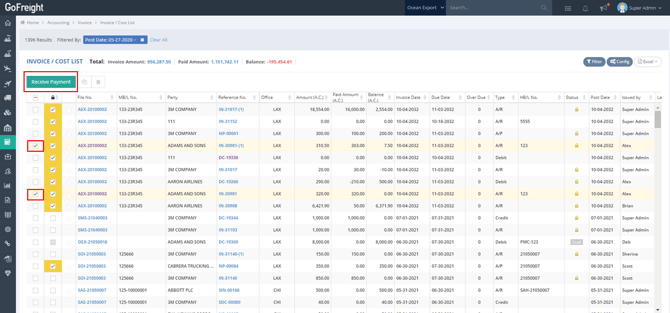
GoFreight provides a function for you to create new payments on the invoice or cost list. Follow these steps:
Select the invoice(s) and click the “Green” button, “Receive Payment” or “Make Payment” to add a new payment. This will direct you to a payment page to receive or make the payment.
Note
1. By default, when using Make Payment or Receive Payment, all selected invoices must belong to the same Trade Partner if multiple invoices are selected.
If your company needs to process invoices from different Trade Partners in a single payment, please contact GoFreight Support at support@gofreight.com. Once enabled, users will be able to select invoices from different Trade Partners during the payment process. Since this changes the default system behavior, we recommend enabling it only after confirming that it aligns with your company's accounting workflow.
2. For details on the “Receive Payment” process, please refer to "How to Receive a Payment (Full Receive or Partial Receive)?".
3. For details on the “Make Payment” process, please refer to "How to Make a Payment (Full Paid, Partial Paid)?".
You might also be interested in:
- How to Receive a Payment (Full Receive or Partial Receive) ?
- How to Make a Payment (Full Paid, Partial Paid)?
- How to Offset Multiple AR and AP Invoices from Different Parties Under One Payment