
If you want to view all charges related to HB/Ls (House Bill of Lading), you can download the "Accounting Info" report from your records.
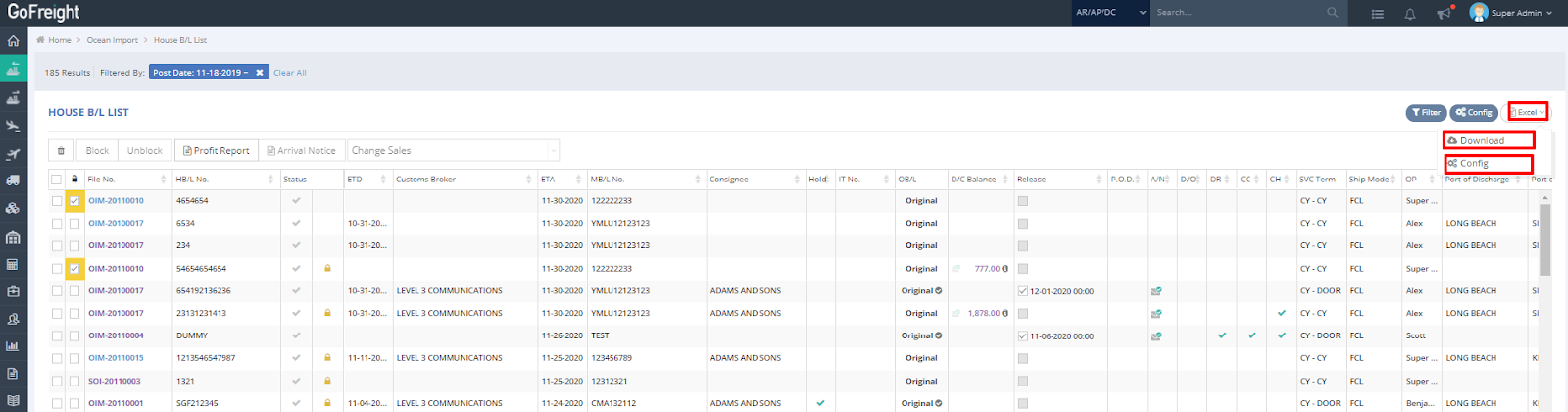
- In the House B/L List view, click the “Excel” button located at the upper right corner, then select “Config.”
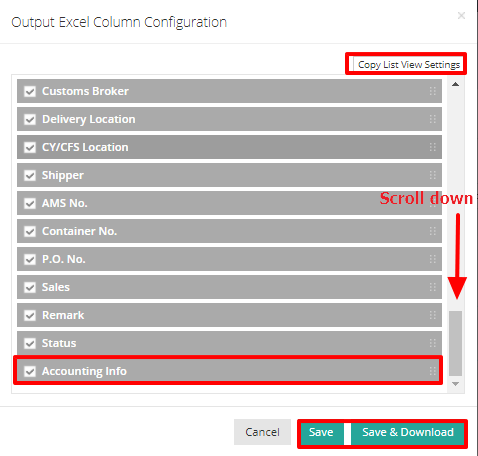
- On the “Output Excel Column Configuration” list, scroll down and check the box next to "Accounting Info" to output the report in Excel format.
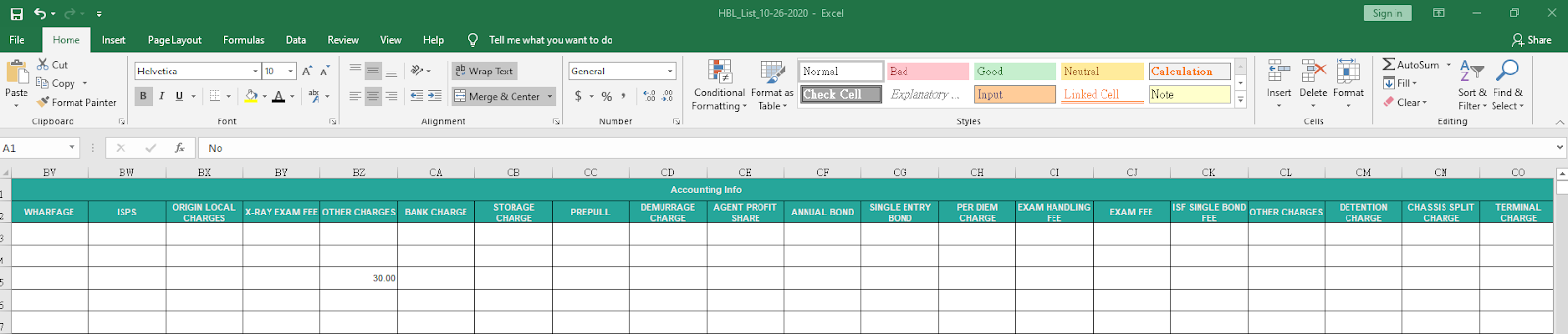
- The report will provide a detailed breakdown of all charges associated with each HB/L shipment. This is a convenient way to review the accounting information for all your shipments at once.
You might also be interested in:
- How to Review Profit Reports for Specific Shipments under List View?
- How to Export Shipment Lists in GoFreight?
- How to Search for an Invoice in the Invoice and Cost List Feature?