
To generate documents from the warehouse receipt, please follow the steps below:
- Complete all required fields on the Warehouse Receipt. Once you have saved the file, go to the "Tools" menu at the top right corner of the page.
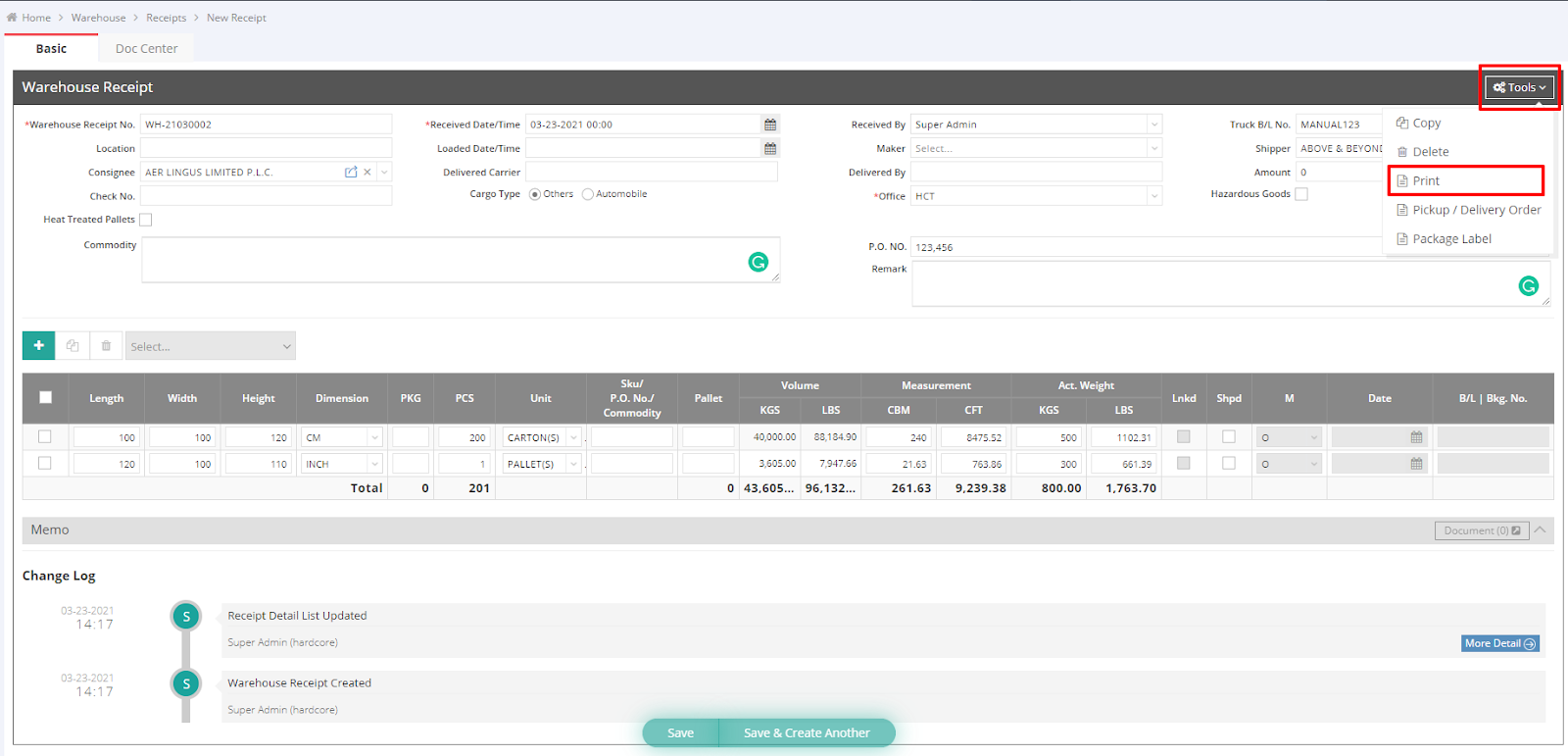
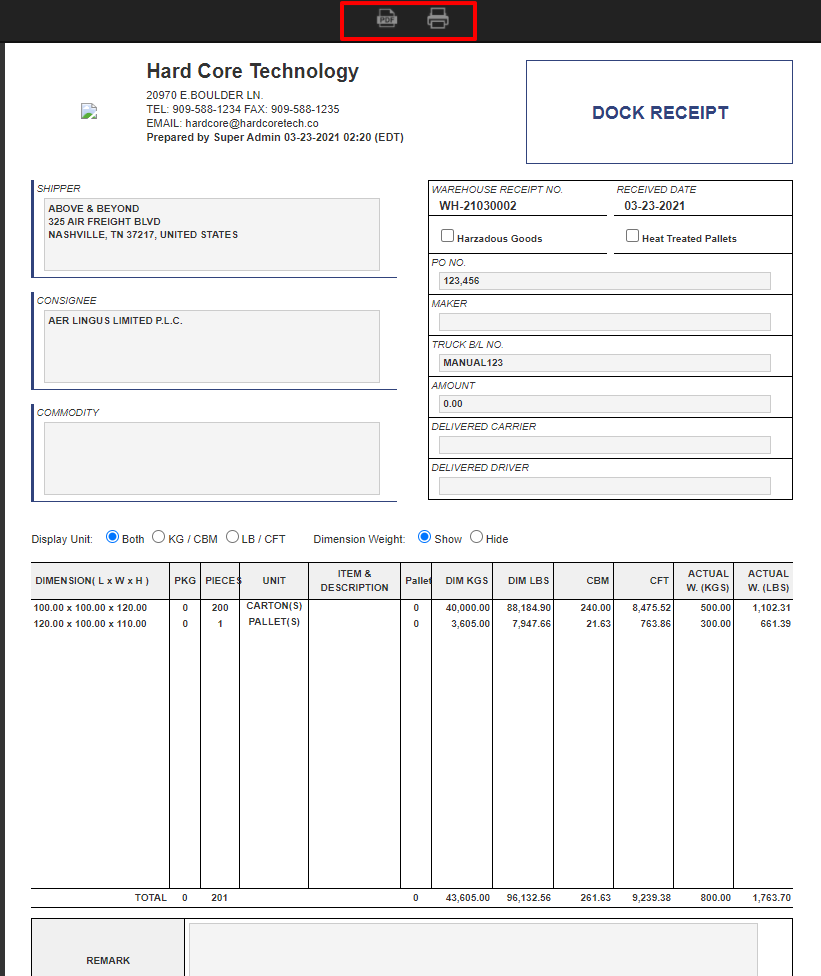
- Click "Print" to generate the Dock Receipt. On the preview page, use the button at the top to download it as a PDF or print the document.
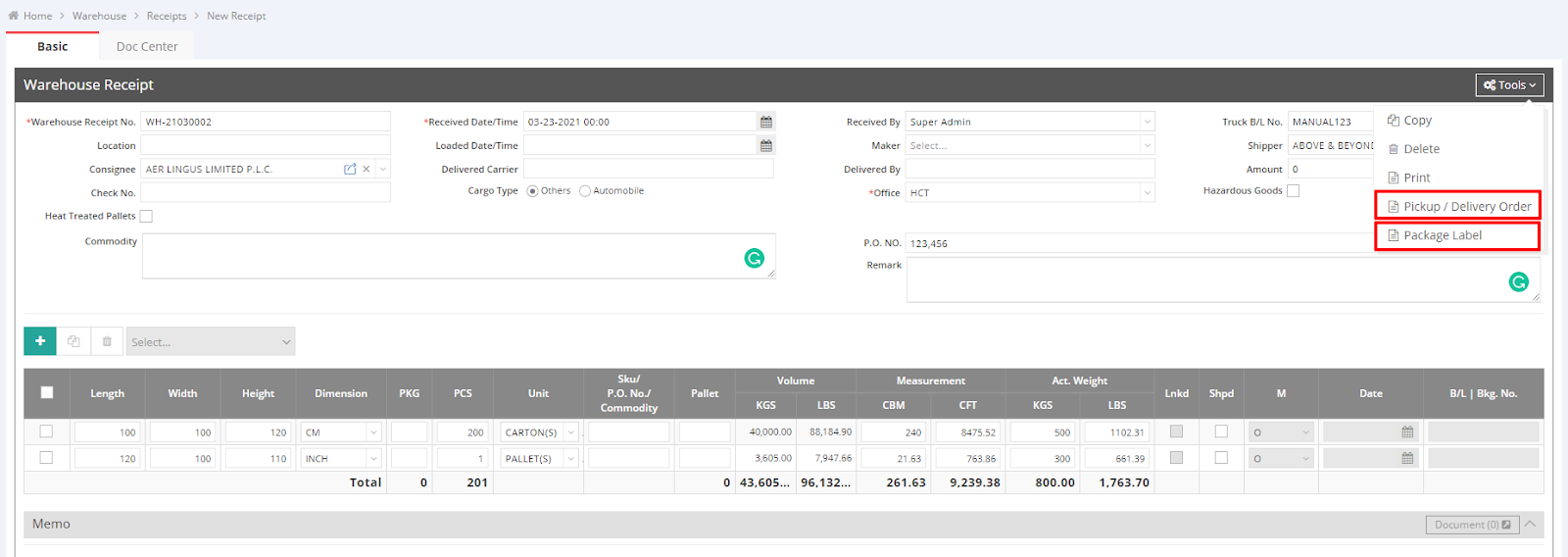
You can also generate the Pickup/Delivery Order and Package Label from the same "Tools" menu.
For a visual guide on this feature, please refer to the following video:
You might also be interested in:
- How to Add a New Receipt from the Warehouse Module
- How to Send a Document via Email in GoFreight?
- How to Manage Shipment Documents?