
When sending shipment documents or Memo messages, you can use the Load from previous emails feature to quickly load recipients from previously sent emails for the same shipment.
This feature allows you to reuse previously used To, CC, and BCC recipients without manually entering the email addresses again.
🧭 How to Use It
Step 1: Open the Send Email window
You can open the Send Email window from different areas in GoFreight:
- From any document page, click the Email icon.
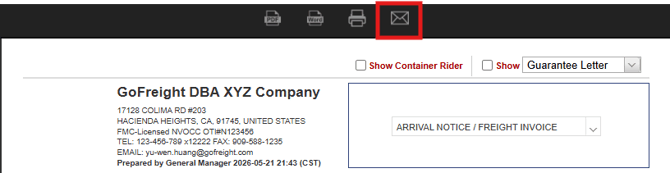
- From the Memo section, click the Action dropdown menu and select Email.

- From the Doc Center, select one or more documents in the Document List, then click the Email button.
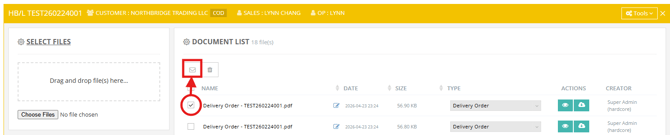
The Send Email window will then open.
Step 2: View previous email history
In the Send Email window, you will see a feature called: Load from previous emails
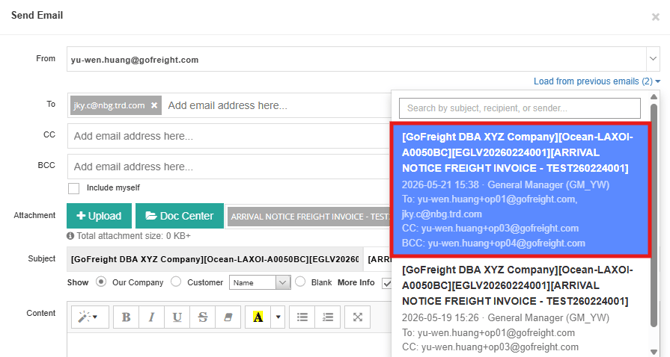
This feature appears above the To / CC / BCC fields and shows up to 20 of the most recent successful emails sent for the same shipment.
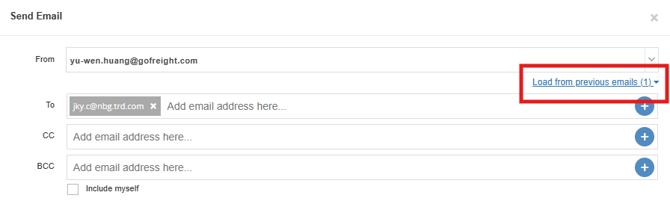
Each record includes:
- 📝 Subject line
- 📅 Date and Time sent
- 👥 Recipients (To / CC / BCC summary)
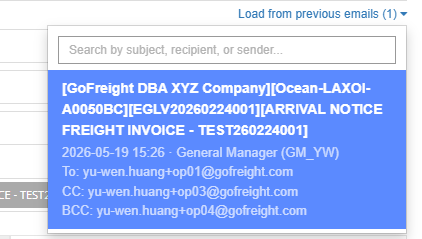
If no previous emails exist for the shipment, this feature will not be shown.
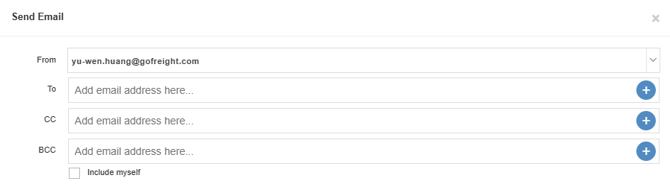
Step 3: Reuse recipients
Click on any previous email record to apply.
The system will automatically fill in the To, CC, and BCC fields based on that email.
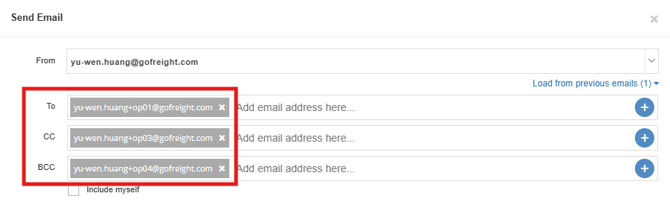
You can still edit the recipients afterward if needed.
If you apply another record, it will replace the previous selection.
Step 4: Send your email
You can now:
- Adjust recipients if needed
- Attach documents or files
- Update the subject
Then send the email as usual by clicking Send.
Once sent successfully, the email will be added to the history list for future reuse.
📌 How Email History Works
- Only successful emails are saved in history. Failed emails are not included
- Up to 20 most recent emails are stored per shipment
- MBL (Master Bill of Lading) includes the related HBL (House Bill of Lading) email history
- Emails sent from Memo by clicking Action are also included
- Email history records are accessible to all users who are authorized to send emails from the corresponding document or memo.
👉 Additional Note: “Include Myself” Option
The Include Myself checkbox works independently of the Load from previous emails feature.
If selected, your email address will be added to the BCC, even after applying a previous recipient list.

You might also be interested in:
- How to Send a Document via Email in GoFreight?
- How to Manage Contact Information for Trade Partners
- How to Use Shipment Memos for Important Notes and Attachments