
In the GoFreight system, by default, only the General Manager and the Accounting Manager roles can merge trade partners.
Users in other roles can request this functionality with approval from an Admin or General Manager, after which a GoFreight support agent can grant access.
To merge Trade Partners, please follow the instructions below:
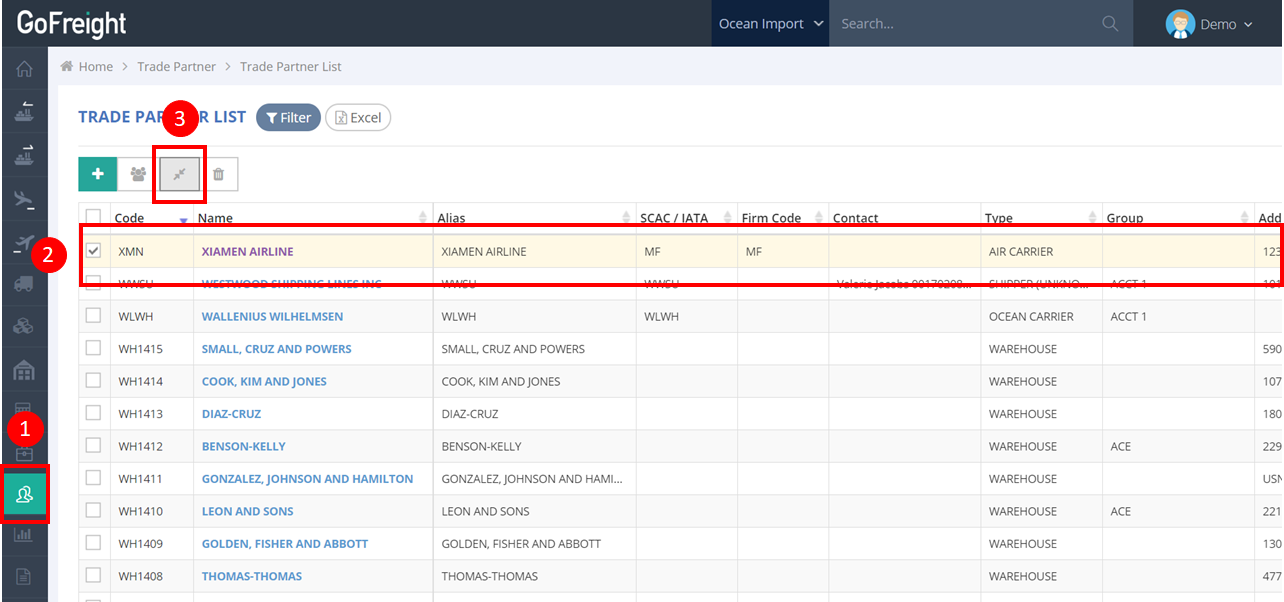
- Navigate to Trade Partner → Trade Partner List to enter the interface.
- Select the trade partner you want to merge (e.g., we will use XMN as a trade partner example).
- Click the Trade Partner Merge icon.
- Use the drop-down menu to select the trade partner to which you want to merge.
- Select the information you want to merge.
- Click OK to save the changes.
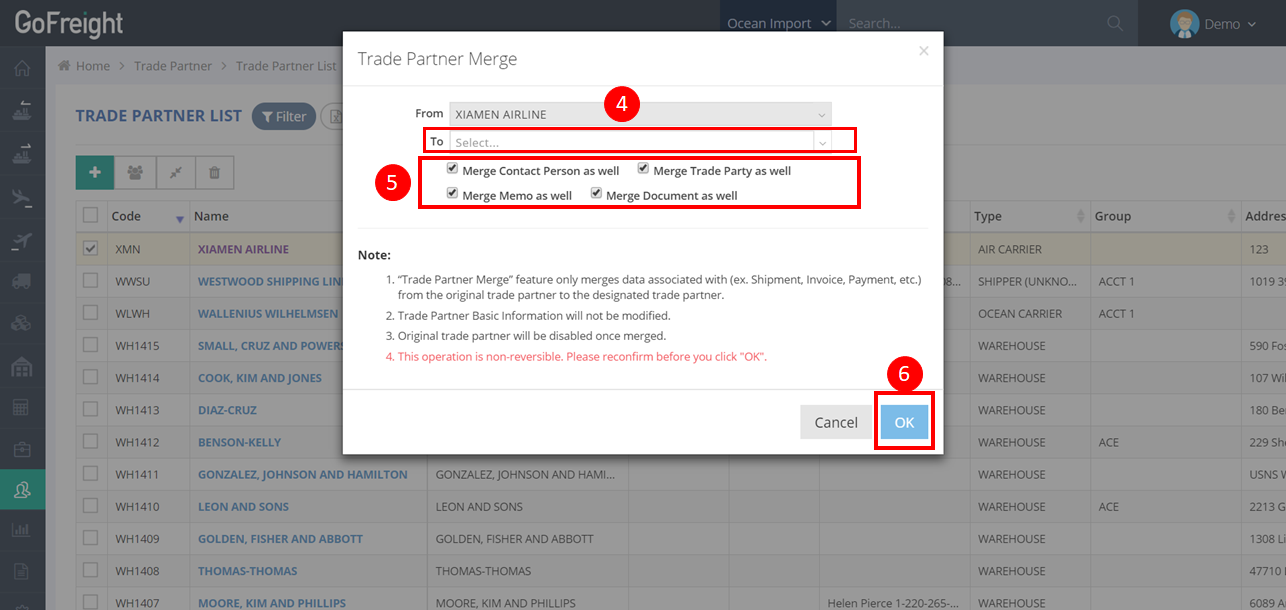
Reminder: Please note that this action cannot be reversed. Kindly double-check all details before proceeding with the operation.
You might also be interested in:
- Enable Dummy Trade Partner (Dummy TP)
- How to Manage and Merge Dummy Trade Partners (TPs) in GoFreight
- How to Create and Manage Trade Partners