
In this article, you will learn how to print checks in batch efficiently.
- Navigate to "Accounting" > "Payment" > "Payment Make List" in the left-side navigation bar.
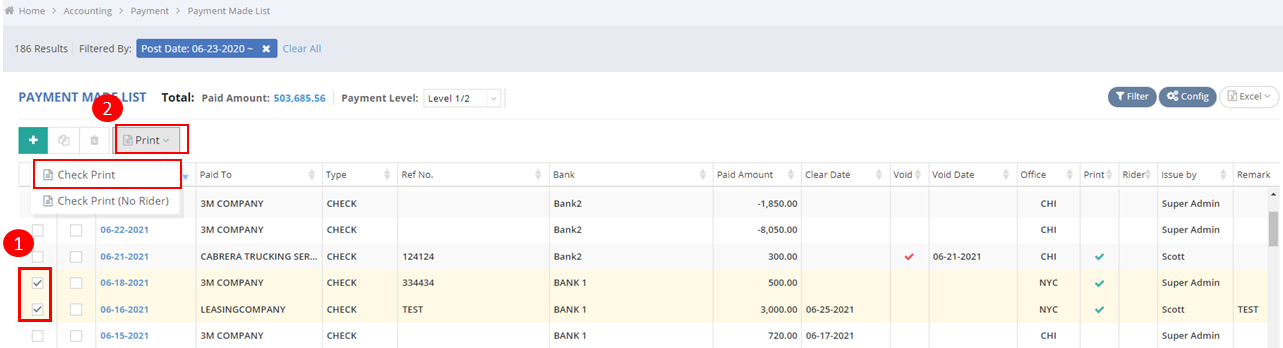
- Select the Accounts Payable (AP) invoices for which you want to print checks in batch.
- Click on “Print” > “Check Print”.
You might also be interested in:
- How to Set Up Auto-Generation of Check Numbers?
- How to Print Checks with or without a Rider in GoFreight?
- Clear Check By Excel