
You can reorganize the table columns in every list view. Please follow the instructions below.
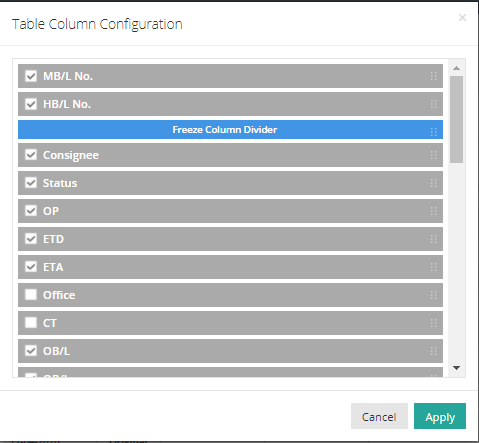
- Click on “Config” in the list view table.
- Select the items you want to display by checking the corresponding boxes and uncheck any items you do not wish to see. If you drag an item above the “Freeze Column Divider,” all columns up to and including this item will be frozen in the pane.

You might also be interested in:
- How to Use List Views in GoFreight
- How to Export Shipment Lists in GoFreight?
- How to Use the House Bill of Lading (House B/L) List in Ocean Shipment