
Follow these steps to search for a journal entry within the accounting module:
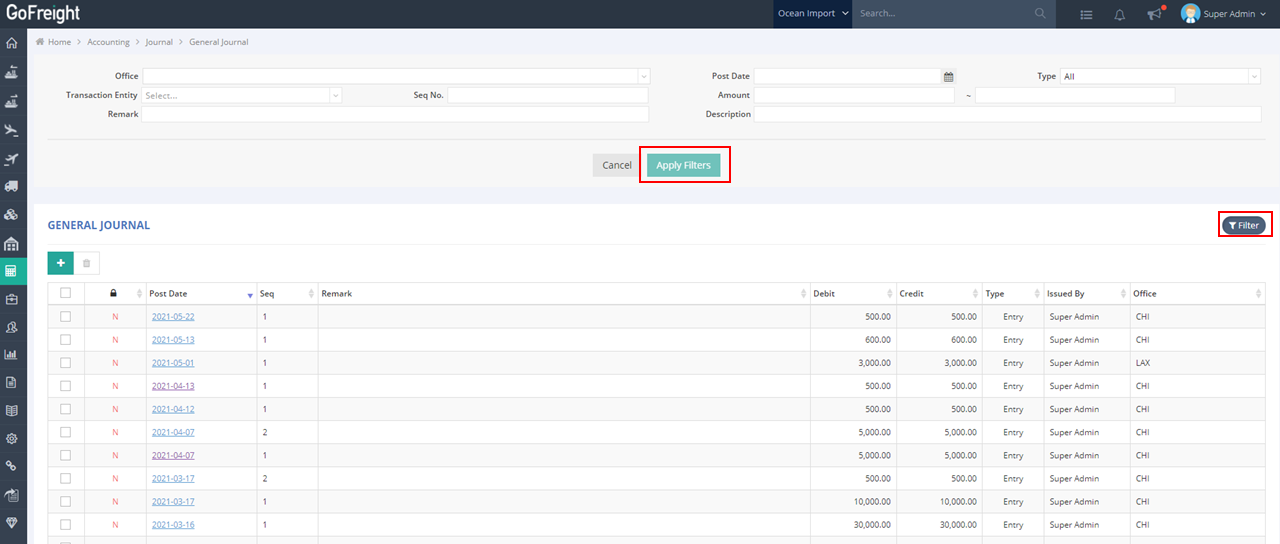
- Navigate to Accounting > Journal > General Journal on the left-side navigation bar.
- Click on Filter. You can narrow down the results based on your needs by entering or selecting criteria in columns such as Description, Remark, and others.
- After entering your criteria, click Apply Filters to display the relevant journal.
You might also be interested in:
- How to Print a Voucher for Journal Entry
- How to Create a New Journal Entry
- How To Batch Import Journal Entries?