
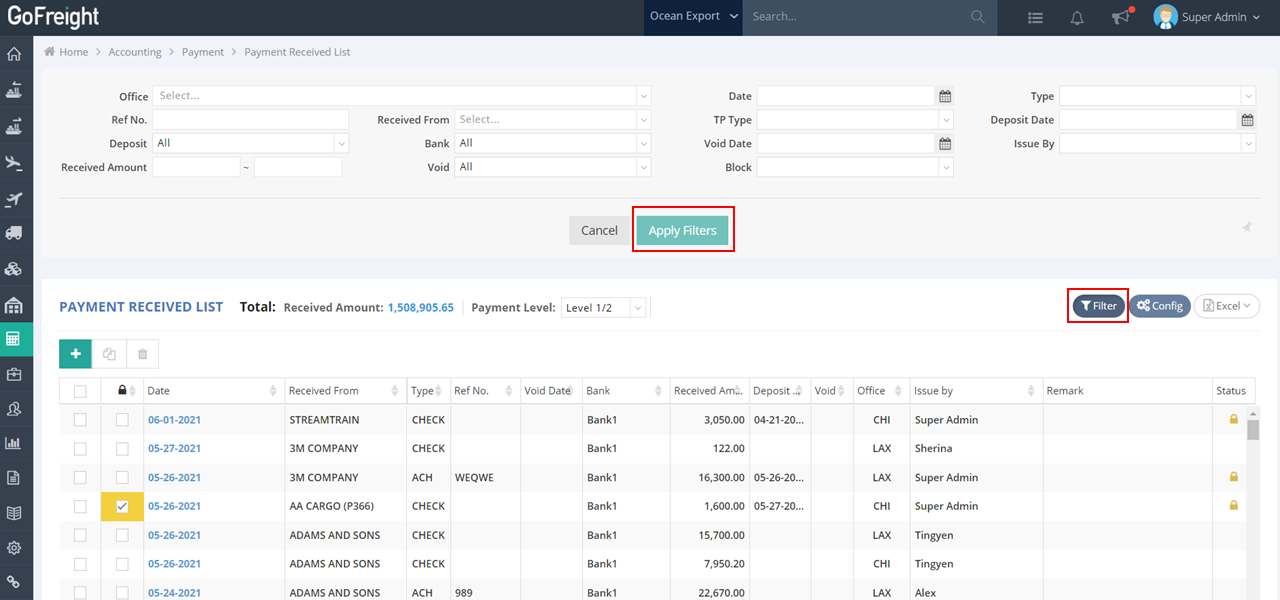
Follow these steps to search for a received payment in the accounting module:
- Navigate to Accounting > Payments > Payment Received List in the left-side navigation bar.
- Click on Filter. You can search for payments by entering or selecting the following criteria: Received From, Reference Number, and Bank, for example.
- Press Apply Filter to view the filtered Payment Received List.
You might also be interested in:
- How to create a new payment on Payment Received List?
- How to Receive a Payment (Full Receive or Partial Receive) ?
- How to Clear/ Deposit a Payment at the Bank?