
GoFreight allows you to add a local-language remark to AR Invoices that need to be issued in French or Mandarin. This feature is available for AR Invoice Types configured with the Split With Multi Tax setting. This configuration ensures that the correct remark is automatically displayed when a non-English invoice language is selected.
If your company requires this setup, please ask an Admin or General Manager role user to contact the GoFreight Customer Support team for assistance with enabling this configuration.
When to Use This Feature
Consider using this option when:
- Your company needs to print AR Invoices in French or Mandarin.
- Your Invoice Remark should differ from the English remark.
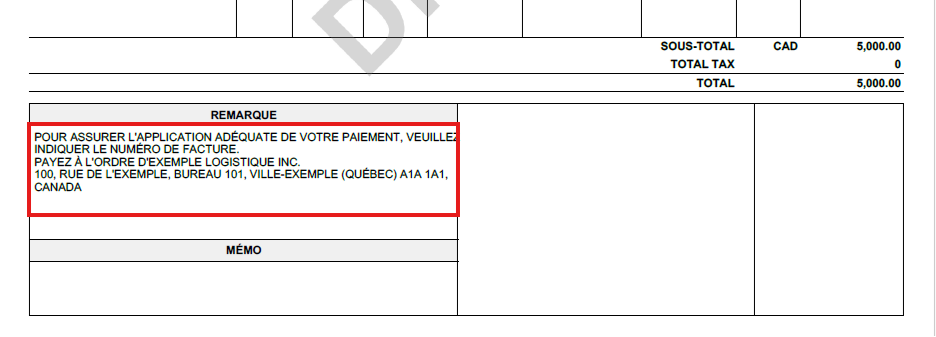
- For example, in French: “POUR ASSURER L'APPLICATION ADÉQUATE DE VOTRE PAIEMENT, VEUILLEZ INDIQUER LE NUMÉRO DE FACTURE. PAYEZ À L'ORDRE D'EXEMPLE LOGISTIQUE INC.”
- Your team wants the remark to switch automatically based on the invoice language.
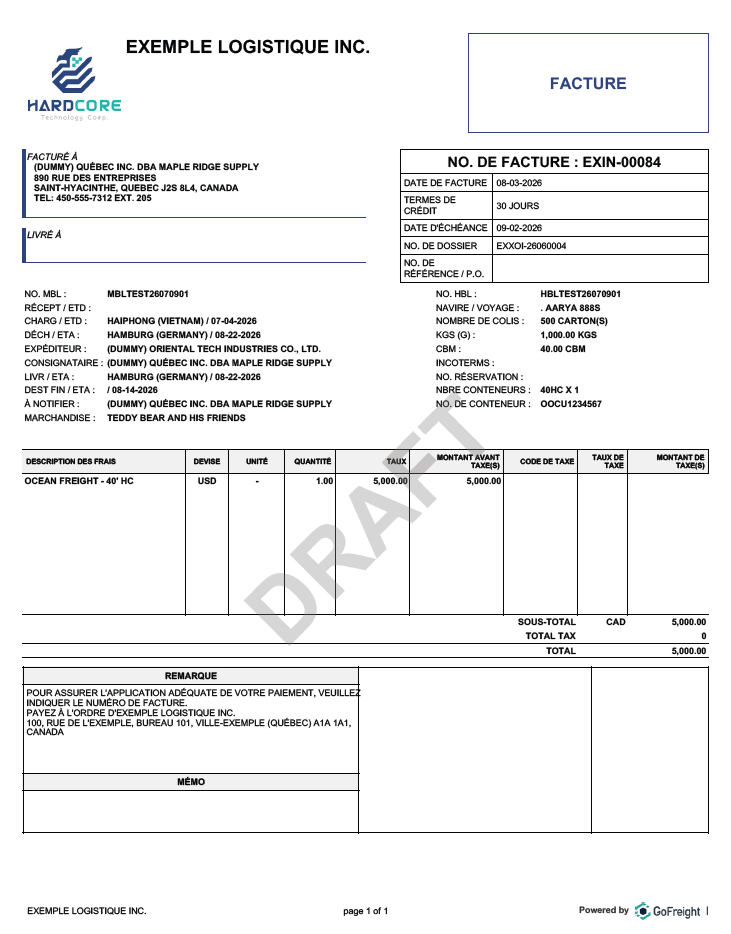
This feature is available only when your AR Invoice Type is configured as Split With Multi Tax in the backend. Below is an example of this invoice type in French:
💡Note: Each office can have only one AR Invoice Type configuration. Multiple AR Invoice Types cannot be configured for the same office or switched between.
How It Works
When using the supported AR Invoice type:
- If the invoice language is English, GoFreight displays the standard Invoice Remark.
- If the invoice language is French or Mandarin, GoFreight displays the Local-Language Invoice Remark. You can select the invoice language from the language dropdown menu at the top of the Print Preview screen.
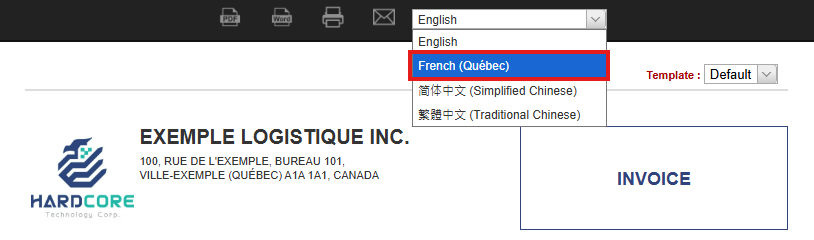
Once the desired local language is selected, the Invoice Remark in the local language will be applied.
What You Need to Prepare
Before contacting GoFreight, prepare the following information:
- The name of the office that requires this setting, if your system has multiple offices.
- The French or Mandarin remark text you want to display.
To request this configuration, please have an Admin or General Manager contact the GoFreight Customer Support team. Alternatively, you may contact us directly and include approval from your Admin or General Manager in the same email thread.
You might also be interested in:
- Configuring Invoice Remarks in Bank List
- Multi-Tax User Guide: Streamlining Tax Calculations
- How to Configure Invoice Template Settings for Trade Partners