
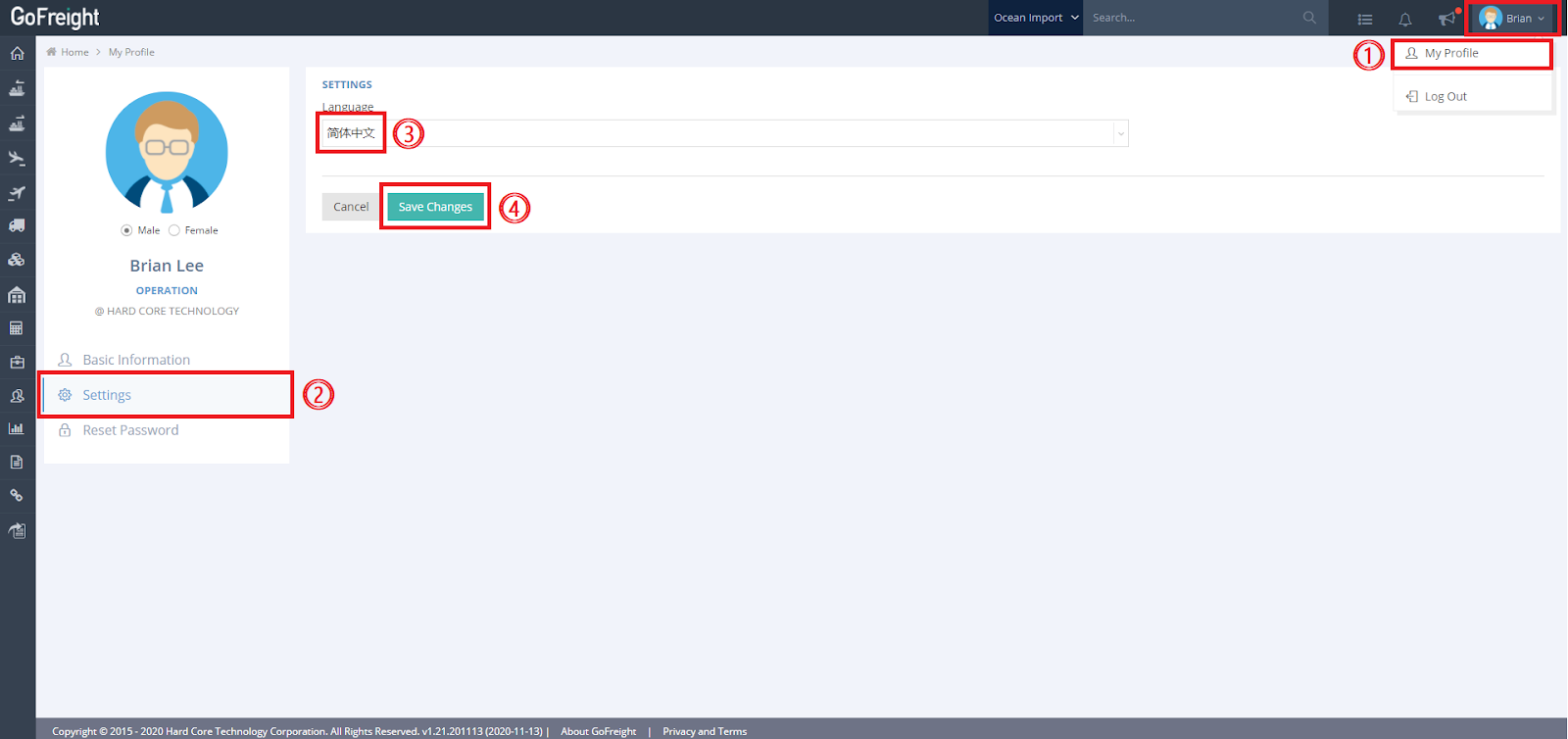
GoFreight supports English, Simplified Chinese, and Traditional Chinese. Please follow the steps below to switch the display language:
- Click the "User" icon > “My Profile”.
- Click “Settings”.
- Select the desired language:
- English
- Chinese (Traditional)
- Chinese (Simplified)
- Click “Save Changes”.
If you do not see the language switch option in Settings, please contact our customer support agent for assistance.
You might also be interested in:
- How to Reset Your GoFreight Account Password?
- How to Set Up Your GoFreight Account Email Address?
- How to Set Up a French or Mandarin Remark on AR Invoices