
To update the Pier Pass/TMF fee with a fixed charge amount, follow these steps while creating it.
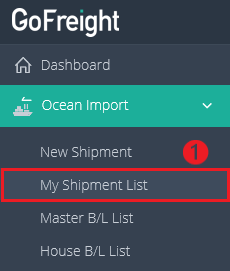
- Navigate to “Ocean Import” > “My Shipment List” on the navigation bar.
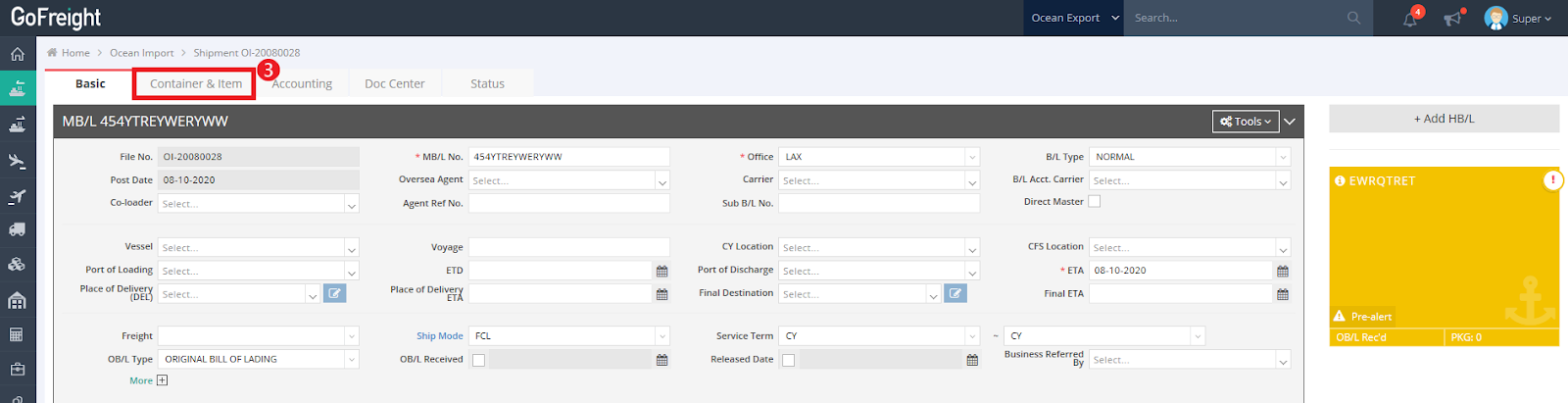
- Select a shipment from your list and open the corresponding file.

- Click on the “Container & Item” tab.
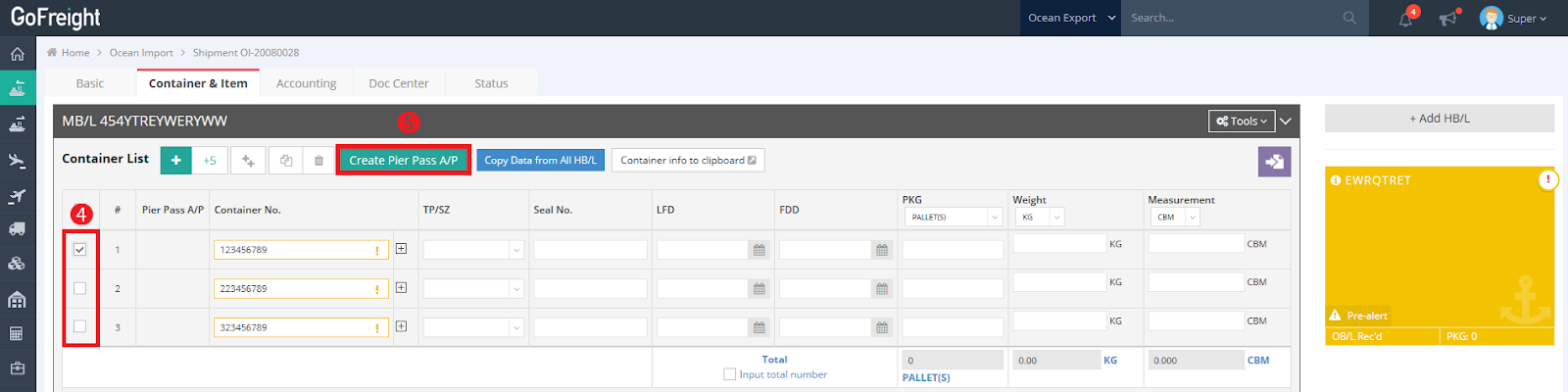
- Select the containers you want to update.
- Click “Create Pier Pass A/P.”
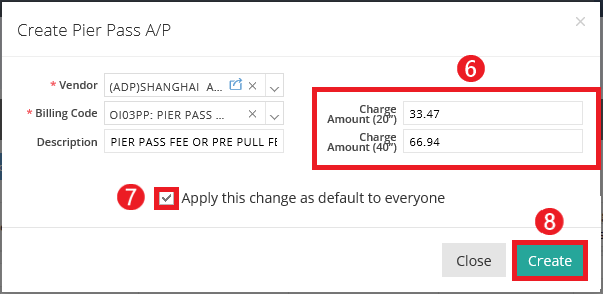
- Fill in the required information (marked with a red asterisk) and specify the new Pier Pass charges for 20' and 40' containers.
- Check the box to apply the changes as default to everyone.
- Click “Create”.
Once completed, you will see a pop-up notification stating, “Pier Pass A/P Created Successfully,” confirming that the process was completed successfully.

You might also be interested in:
- How to Create a Pier Pass?
- How to Create Accounts Payable (AP) Invoices in Invoice Mode?
- How to Add Fixed Charges for Each Trade Partner?