
GoFreight allows for the automatic loading of Memo information from Trade Partners into shipment entries. However, there may be instances where displaying the Memo is not desired.
By default, users with the GM role can set and edit the Memo loading preferences for shipment entries.
Steps to Configure Memo Auto-Load
- Navigate to Settings > Trade Partner.
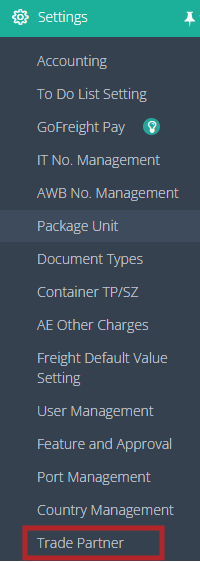
- GM users can edit the Shipment Memo settings for each Trade Partner and module.
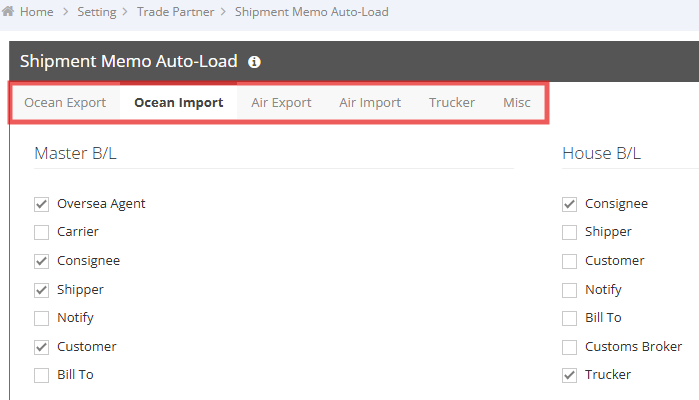
- Select or clear the checkboxes for each shipment module and Trade Partner role.
Each checkbox determines whether the Trade Partner Memo is automatically loaded into the corresponding shipment record.
- Selected – The Memo is automatically displayed when the Trade Partner is assigned to the specified shipment role.
- Cleared – The Memo is not loaded into the shipment.
Example
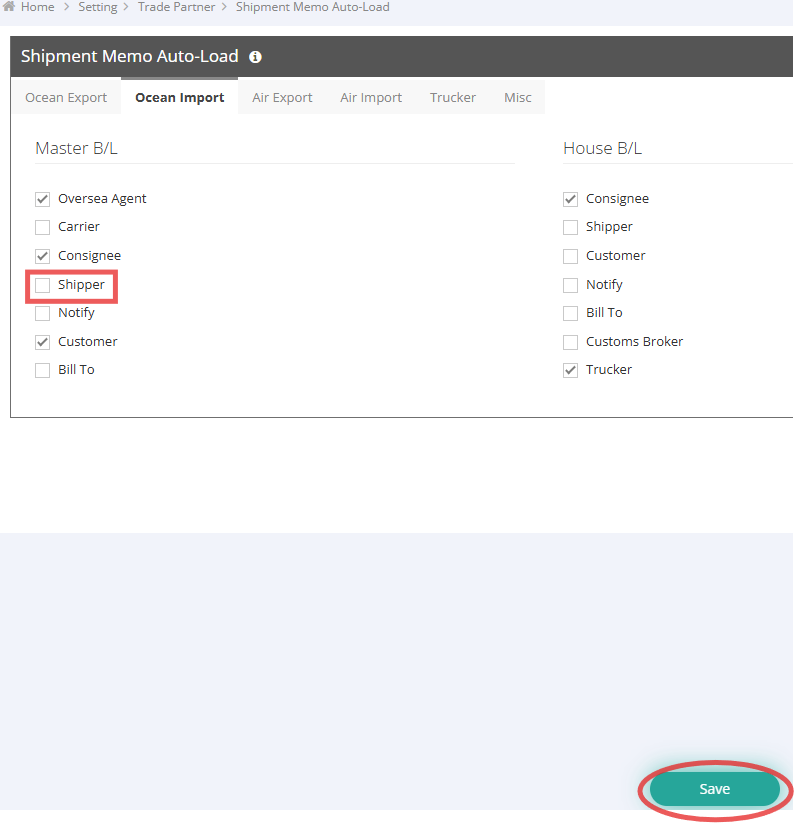
In the example below, Ocean Import > Master > Shipper is cleared.
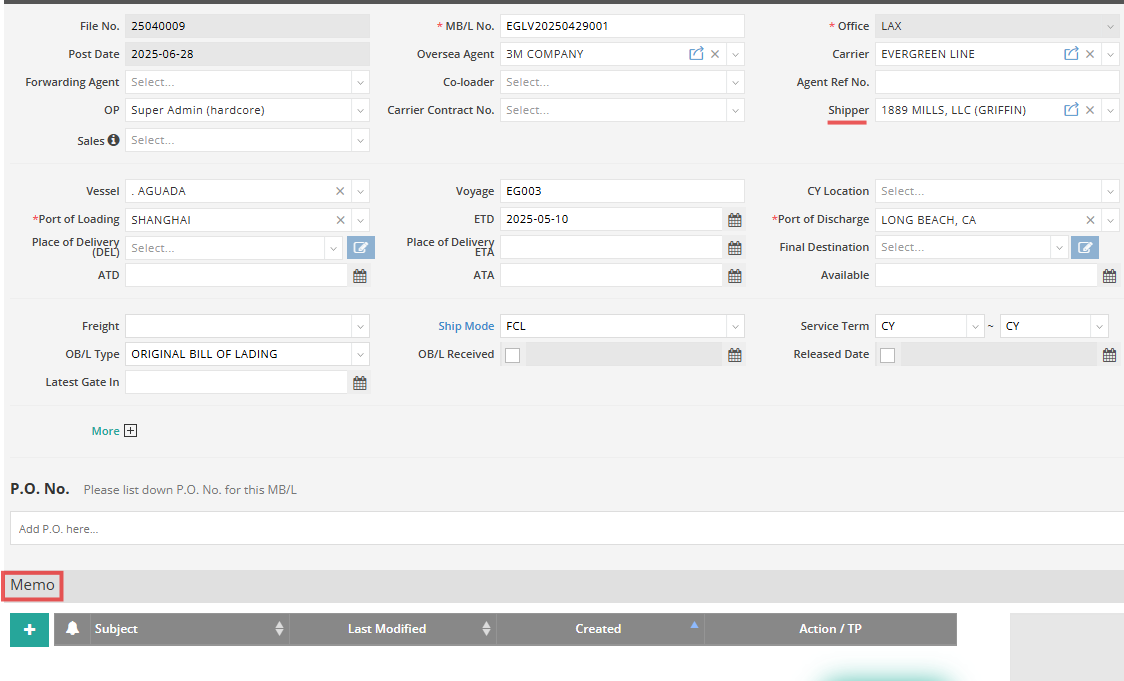
As a result, when this Trade Partner is assigned as the Shipper on an Ocean Import Master B/L, its Memo will not be automatically loaded into the shipment. This helps prevent unnecessary Memo information from appearing during daily operations.
You might also be interested in:
- How to Use Shipment Memos for Important Notes and Attachments
- How to Create and Manage Trade Partners
- How to Set Up Trade Parties for Trade Partners