
In this article, we will introduce the common tools available in the MB/L (Master Bill of Lading) section and how you can utilize them effectively.
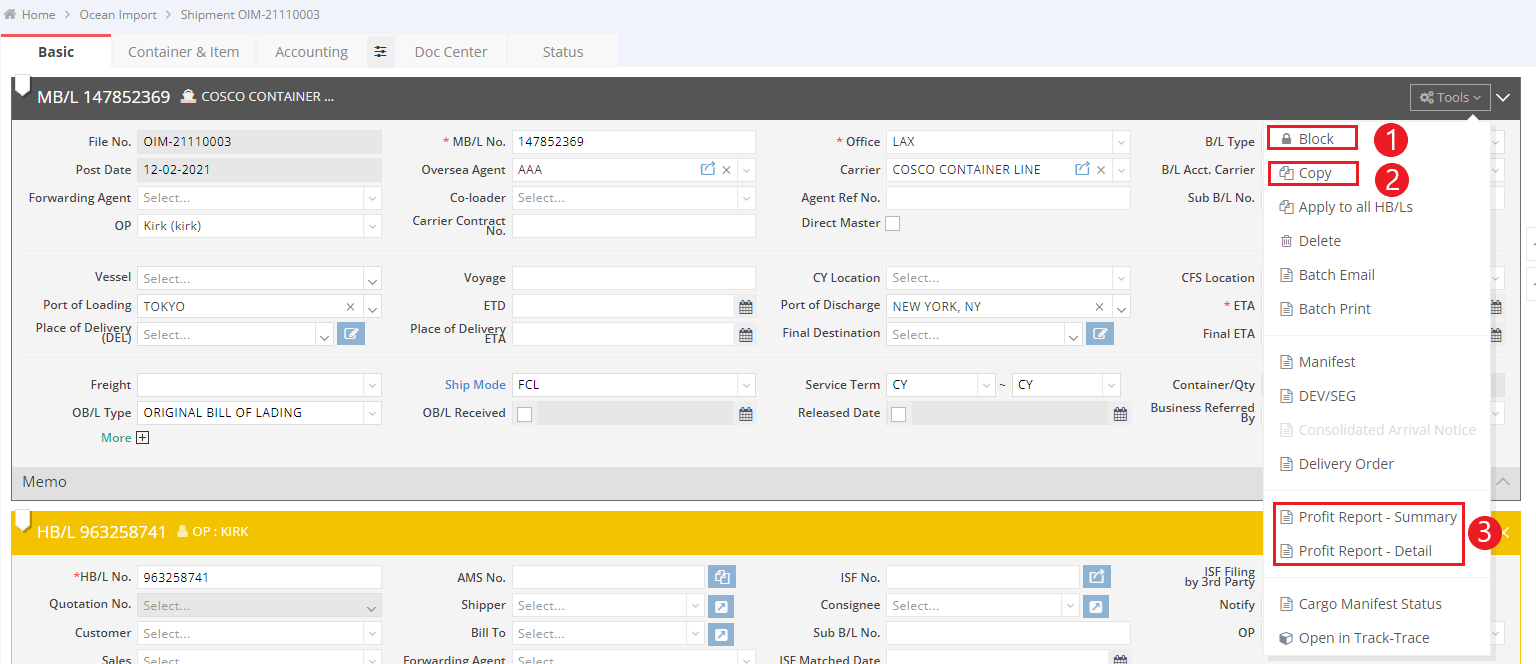
- Block: If you want to prevent changes to your shipment details, click on “Tools” > “Block” to secure the shipment.
- Authorized Users: By default, only the General Manager role can perform shipment blocking and unblocking. Blocking and unblocking shipments are crucial functions that empower authorized users to secure all relevant information within a shipment file, including shipment and accounting details.
- Copy: To duplicate shipment details, click on “Tools” > “Copy” to transfer all details to a new shipment.
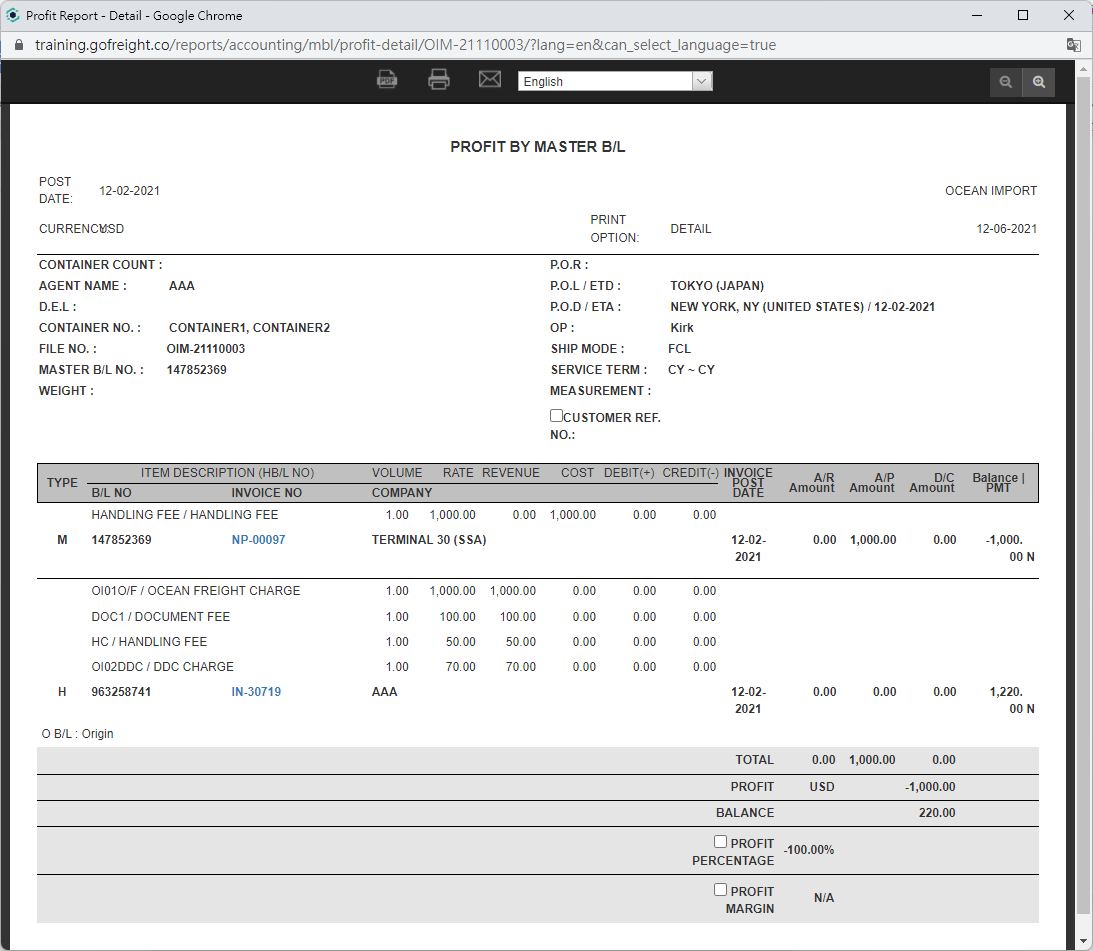
- Profit Reports: You can access both summary and detailed views of the profit associated with this shipment.
Sample Profit Reports:
4. Profit Report - Summary: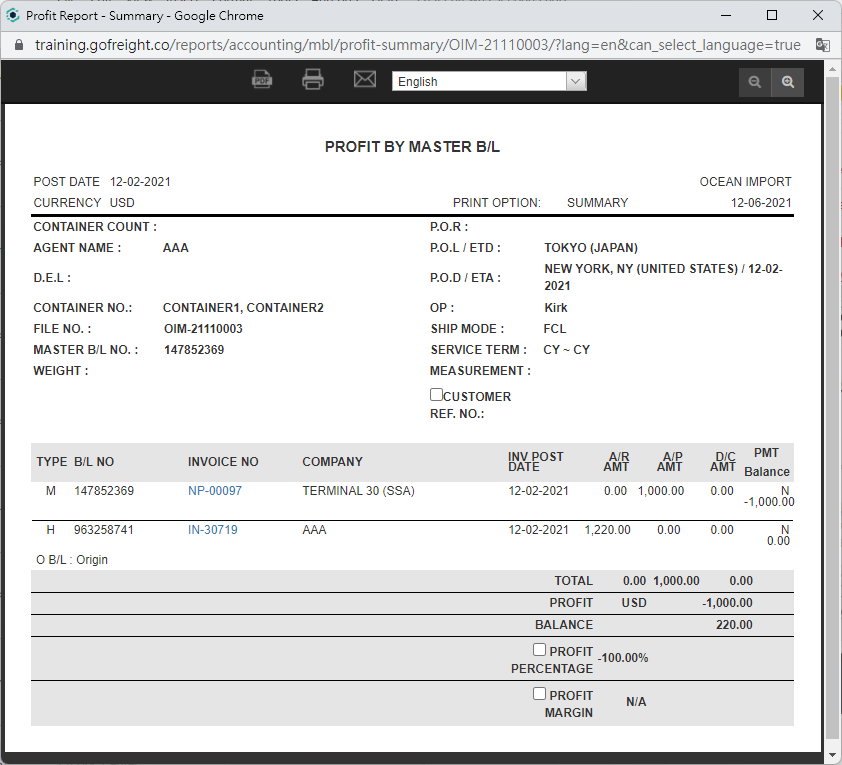
5. Profit Report - Detail:
You might also be interested in:
- How to Block/Unblock shipments?
- How to Review Profit Reports for Specific Shipments under List View?
- How to Search for Ocean Export and Ocean Import Shipments in the Master B/L List?