
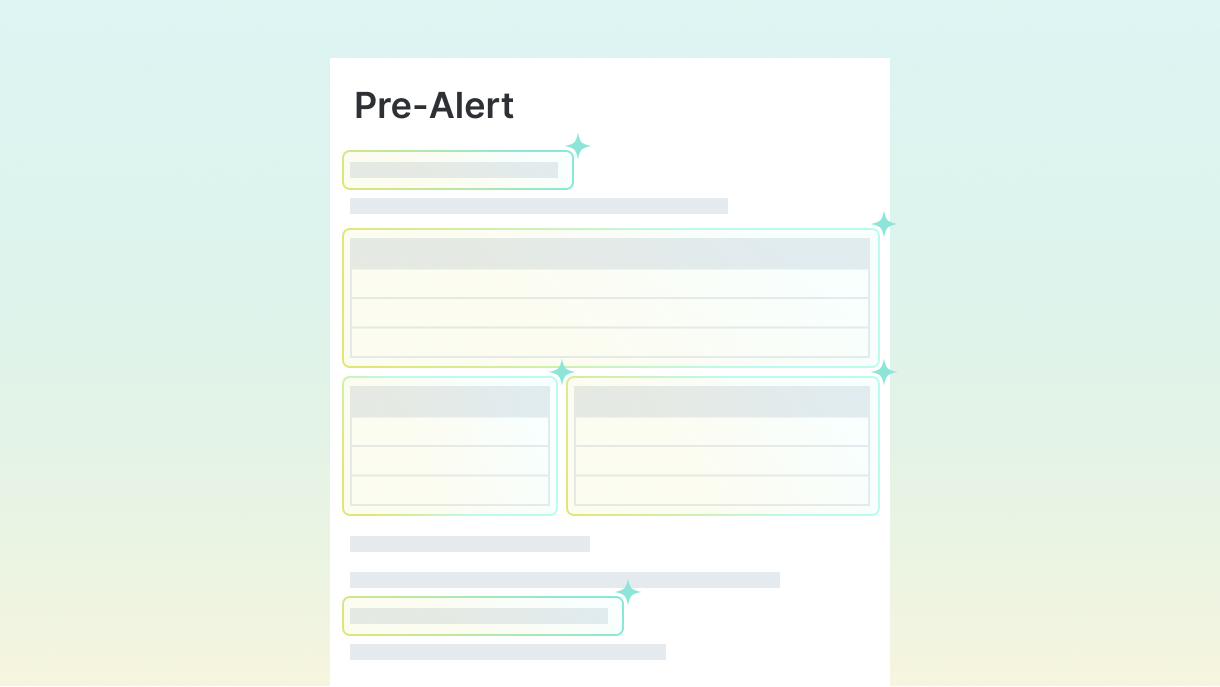
GoFreight AI reads your agent's pre-alert and fills in the shipment for you: MBL, house bills, shipper, consignee, ports and containers. It's already switched on in your GoFreight. There's nothing to install or set up.
Before you start
- Ocean import only. Air isn't supported yet.
- Use the agent's pre-alert that includes the house bill.
- PDF, JPEG or PNG, up to 10 MB each. Scanned PDFs work too. Up to 15 files in one upload; each one is reviewed on its own unless you choose to merge them.
- One master bill with several house bills works. If one is missing, you can add it during review.
- Using Outlook? Save the attachment to your computer first.
Step 1. Drag it in
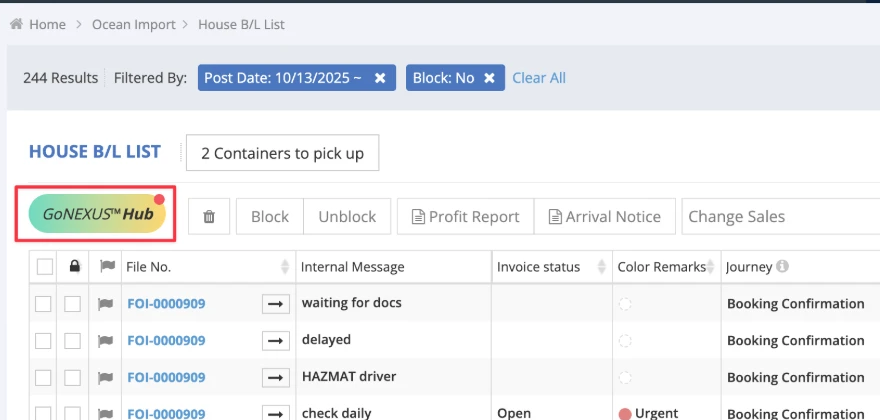
Open your Ocean Import HBL List and drag the pre-alert onto the list.
Step 2. Open it
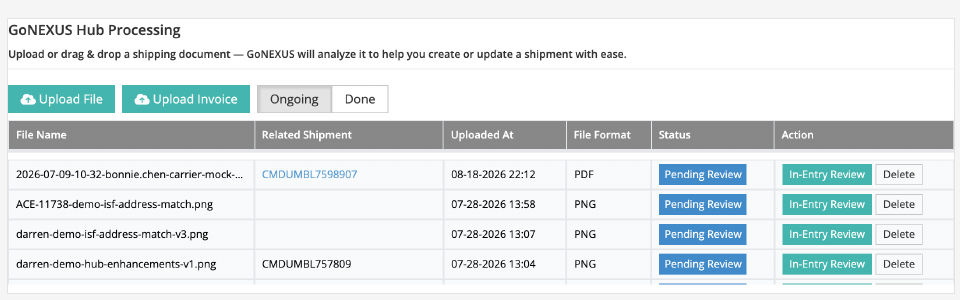
When the file shows Pending Review, click the GoNEXUS™ Hub button (marked in red above), then click In-Entry Review.
Step 3. Save it
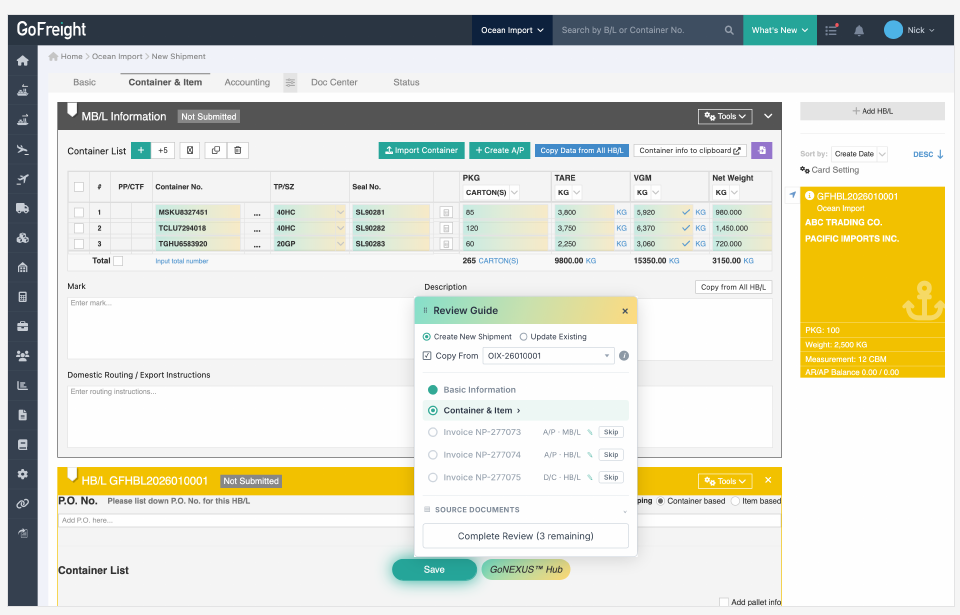
The shipment opens already filled in, on the same shipment screen you use today. Review it, click Save, then Complete Review, then Confirm. Nothing is saved until you click Save.
Good to know
- The PDF is filed for you. When you click Complete Review and then Confirm, GoFreight AI saves the pre-alert in the shipment's Doc Center. You choose the master bill or a house bill, and can rename the file.
- It learns your fixes. When you correct a trade partner, port, carrier or package unit, GoFreight AI learns from the fix.
- Start with the pre-alert, not the arrival notice. Carrier documents will not fill in the house bill. GoFreight AI leaves those fields empty on purpose, so it never copies master bill details into a house bill.
Questions? Reply to any of our emails, or ask your GoFreight contact.