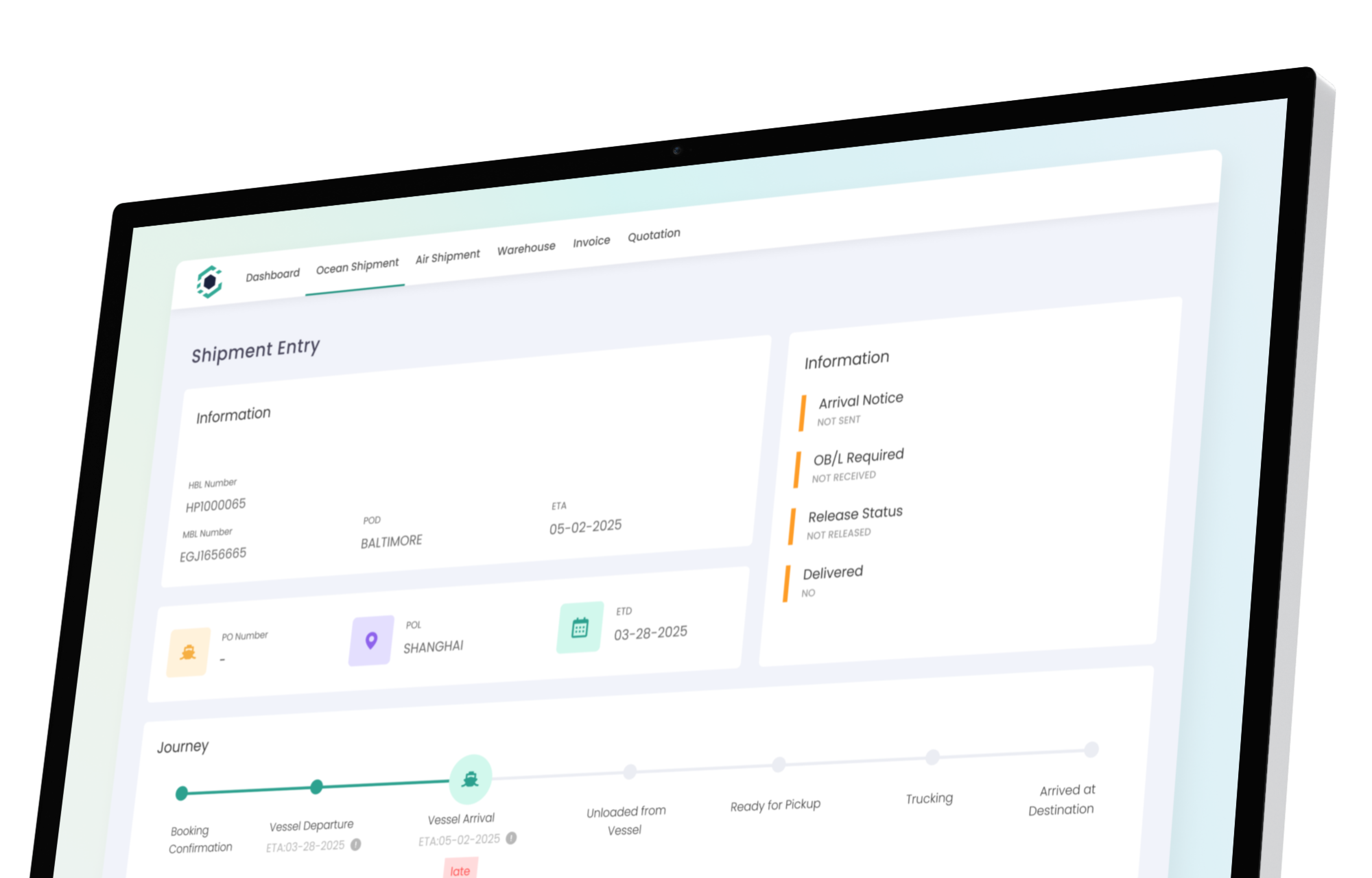
Freight Forwarding Workflow Automation Software
Manual work doesn't scale. GoFreight automates the routine: task lists that build themselves, real-time visibility from carriers to terminals, and client updates that send without anyone lifting a finger. Your team handles more. Your service stays consistent. You grow without hiring.
Daily Operations
Keep your team organized and your workflow clear from booking to empty return.
Smart To-Do Lists
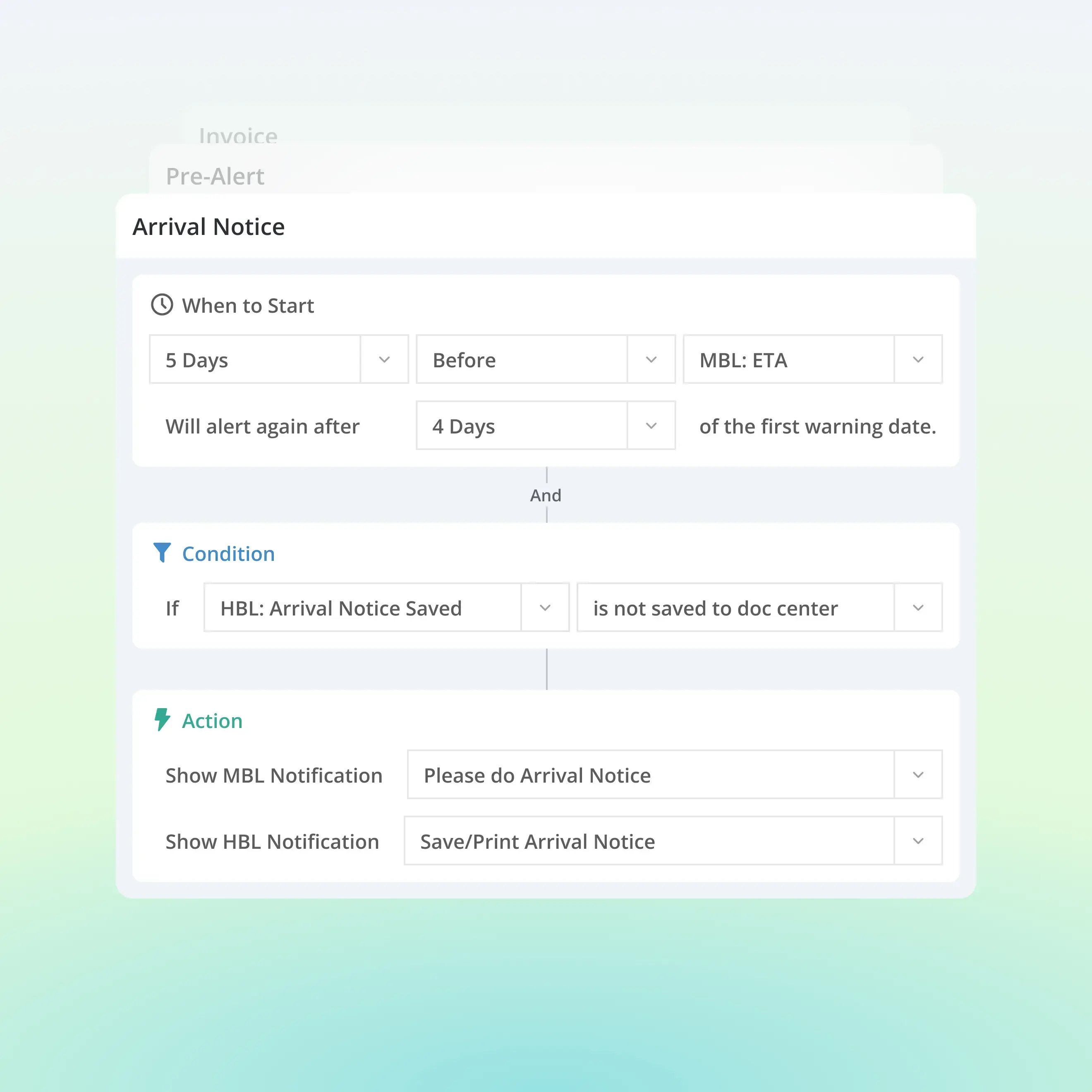
Task lists built around your workflow, not a generic template. Customize conditions per customer (e.g., trigger reminders when MBL status updates). Tasks fire automatically at the right milestone for the right team member. Operations managers get a live team overview of all pending tasks, so nothing falls through and nothing needs chasing.
SOPs & Workflow Templates
Define standard procedures per customer. GoFreight applies them automatically to every matching shipment. New hires execute consistently from day one.
Quote to Invoice and No Re-Keying
Charges carry automatically from quote to shipment to invoice. No re-entry, no missed line items, no reconciliation at the end of the month.
Memo System
Add memos to HBLs, MBLs, containers, or trade partner lists, so important notes appear consistently wherever your team needs them. Visible from the HBL list, MBL list, and container list in one place. Handoffs are clean. Nothing gets re-explained.
Visibility & Tracking
Live data across every leg of the journey, pulled in automatically.
Real-Time Cargo Tracking
Data from carriers, railroads, terminals, and AIS pulled into one platform automatically. ETDs and ETAs update in real time. Your team sees changes as they happen, not after a customer calls.
Container Lifecycle Management
Manage every container individually through My Containers. Track lifecycle events from discharge to empty return. Get alerted before free time expires, so you avoid detention and demurrage fees instead of disputing them.
Client Communication
Right information. Right format. Right channel. Right time.
Automated Shipment Updates & Exception Alerts
GoFreight automatically generates shipment updates and exception notifications at key milestones sent via email or the customer portal, based on each client's preference. Clients stay informed before they ask.
Personalized Reports Per Customer
Customize report format, content, and delivery schedule per client. A GoFreight customer sends over 2,000 automated reports and reminders to its clients every week, with zero manual effort from their team.
Customer Portal
Clients check cargo status, download shipping documents, and track individual containers without calling or emailing your ops team. Supports unlimited tracking users. Each user can be associated with multiple companies, built for importers and group accounts managing multiple entities.
Integrations with ERP & POM
Connect GoFreight to your clients' ERP, POM, and other platforms. Reduces manual data entry on both sides and creates a connected experience for your team and theirs
How It All Connects
Every part of your operation talks to the next.
Quote won
Charges carry to shipment automatically. No re-entry.
Shipment created
To-do list builds itself based on shipment type and customer conditions.
Milestones reached
Container dates update from carrier, terminal, and AIS data. Team tasks trigger. Client gets
Exception detected
Alert fires to your team and to the customer, before anyone asks.
Delivery complete
Invoice generates from shipment data. Charges already populated.
Reports scheduled
Client receives their custom report on their preferred schedule, in their preferred format.
FAQ
What does GoFreight automate in freight forwarding?
GoFreight automates across your entire operation: to-do lists that build based on shipment conditions, container dates that populate from live carrier, terminal, railroad, and AIS data, client notifications sent at key milestones via email or portal, invoices generated from shipment data, and custom reports delivered on each client's schedule. Consistent execution across every shipment, every team member, every day.
How does the to-do list automation work?
GoFreight lets you define task conditions per customer. For example, trigger a reminder when an MBL status updates or a container reaches a specific lifecycle stage. Tasks generate automatically for the right team member at the right time. Operations managers see a live overview of all pending tasks across their team.
Where does GoFreight's real-time tracking data come from?
GoFreight integrates data from ocean carriers, railroads, terminals, and AIS into one platform. ETDs and ETAs update automatically as changes happen. Your team sees the same live data your customers expect without checking multiple carrier websites.
Can I customize the workflow for different customers?
Yes. To-do conditions, memo templates, report formats, notification preferences, and SOPs can all be configured per customer or trade lane. High-touch clients get a tailored workflow—built once, applied automatically.
How does the memo system reduce miscommunication?
Memos can be added at the HBL, MBL, container, or trade partner list level. They appear consistently wherever your team works—visible from the HBL list, MBL list, and container list. Handoff notes, invoice reminders, and key dates stay attached to the shipment, not an email thread.
Does the customer portal support enterprise accounts?
Yes. GoFreight's customer portal supports unlimited tracking users with no per-seat cost. Individual users can also be associated with multiple companies—ideal for importers or group accounts managing multiple entities.
Will automation work without IT resources?
Yes. Workflow rules, to-do conditions, and report schedules are configured by your operations team through the same interface they use daily. No coding or IT support required.
How do automated tracking alerts work?
GoFreight sends automated notifications for key shipment milestones—vessel arrivals, customs clearance, delays, and exceptions. You can configure alerts by event type and route them to your team or directly to customers through the portal.
Ready to Automate Your Freight Operations?
See how GoFreight connects quoting, operations, tracking, and client communication in one automated workflow.