
GoFreight provides a perfect centralized freight forwarding solution for your business. Being in the freight forwarding industry is both challenging and enjoyable. However, things become cumbersome when it is time to do the books. That is where an excellent accounting module integrated into your freight forwarding software comes in. Though clients point out the unprecedented visibility and ease with which we enable them to keep track of their shipments, GoFreight also provides an excellent accounting module that streamlines your business’s financial aspects.
Key Takeaways
- Freight forwarding accounting software ties every charge, cost and invoice to the shipment that created it, so profit is visible per job.
- It must handle invoicing from shipment data, receivables and payables, overseas agent settlements, multiple currencies and reporting.
- For most freight forwarding companies, the best fit is shipment based accounting inside the freight forwarding system, connected to the general ledger they already use.
- To choose, run a real shipment through the demo from quote to invoice to agent settlement, and confirm the accounting integration in writing.
- GoFreight uses shipment based accounting, connects natively to QuickBooks Online and connects other accounting systems through an open API.
What Freight Forwarding Accounting Software Must Handle
Freight forwarding accounting software must handle the money attached to each shipment: the charges quoted to the customer, the costs owed to carriers and overseas agents, the invoices billed and the profit left on the job. A general accounting package records invoices and payments. A forwarder also needs to know which shipment, which house bill and which agent each line belongs to.
Definition
Freight forwarding accounting software is accounting built around shipments. It generates invoices from shipment data, tracks receivables and payables, settles accounts with overseas agents and reports profit per shipment, and it passes the results to the company's general ledger.
Use this list to check any freight accounting software you are considering:
| What the software must handle | Why it matters for a forwarder |
|---|---|
| Shipment based accounting | Every charge stays tied to the house and master bill of lading that generated it, so revenue, cost and margin show per shipment, customer and lane. |
| Charges that carry from quote to invoice | The charges quoted flow into the shipment and then into the customer invoice without retyping, which removes a common source of billing errors. |
| Receivables and payables | Customer invoices, carrier and vendor bills, payment matching, aging and credit limits in one place. |
| Overseas agent settlement | Debit and credit notes with each agent, with the amounts owed in both directions netted per agent. |
| Multiple currencies | Billing customers in one currency and paying carriers and agents in another, with exchange differences recorded. |
| Multiple entities | Separate ledgers, billing codes, currencies and bank accounts for each company or branch in a group. |
| Connection to your accounting system | Invoices, bills and payments reach the general ledger your finance team uses, through a native connector or an API. |
| Reporting | Profit and loss by shipment, overdue receivables, customers over their credit limit and the most profitable customers and routes. |
How to Choose Freight Forwarding Accounting Software
To choose freight forwarding accounting software, test it with your own shipments: follow one job from quote to invoice to agent settlement, check that it handles your entities and currencies, and confirm exactly how it connects to your accounting system. These six steps keep the evaluation practical.
STEP 1
Map where charges are typed twice today
List every point where someone rekeys a charge: from quote to shipment file, from shipment file to invoice, from invoice to the accounting system, and from agent statements into payables. These are the steps the new software has to remove.
STEP 2
Decide where your general ledger will live
Some forwarders keep the ledger in their existing accounting system and send shipment accounting to it. Others run accounting inside the freight forwarding software. Decide first, because it sets which integration you need.
STEP 3
Run a real shipment through the demo
Ask the vendor to build a quote, convert it to a shipment, add actual costs, issue the invoice and record the payment while you watch. Check that no charge has to be typed twice and that the shipment profit is correct at the end.
STEP 4
Test an overseas agent settlement
Bring a real agent statement with charges in both directions and in two currencies. Check how debit and credit notes are created and how the net amount owed is shown.
STEP 5
Check entities, currencies and user permissions
If you run more than one company or branch, confirm separate ledgers, billing codes, currencies and bank accounts per entity, and that each team only sees and edits what its role allows.
STEP 6
Confirm the accounting integration in writing
Get the exact system and version the connector supports (for example QuickBooks Online and QuickBooks Desktop are separate products), what data syncs, how often, and what the API covers for any other system.
What Does an Accounting Module in Your Freight Forwarding Software Do?
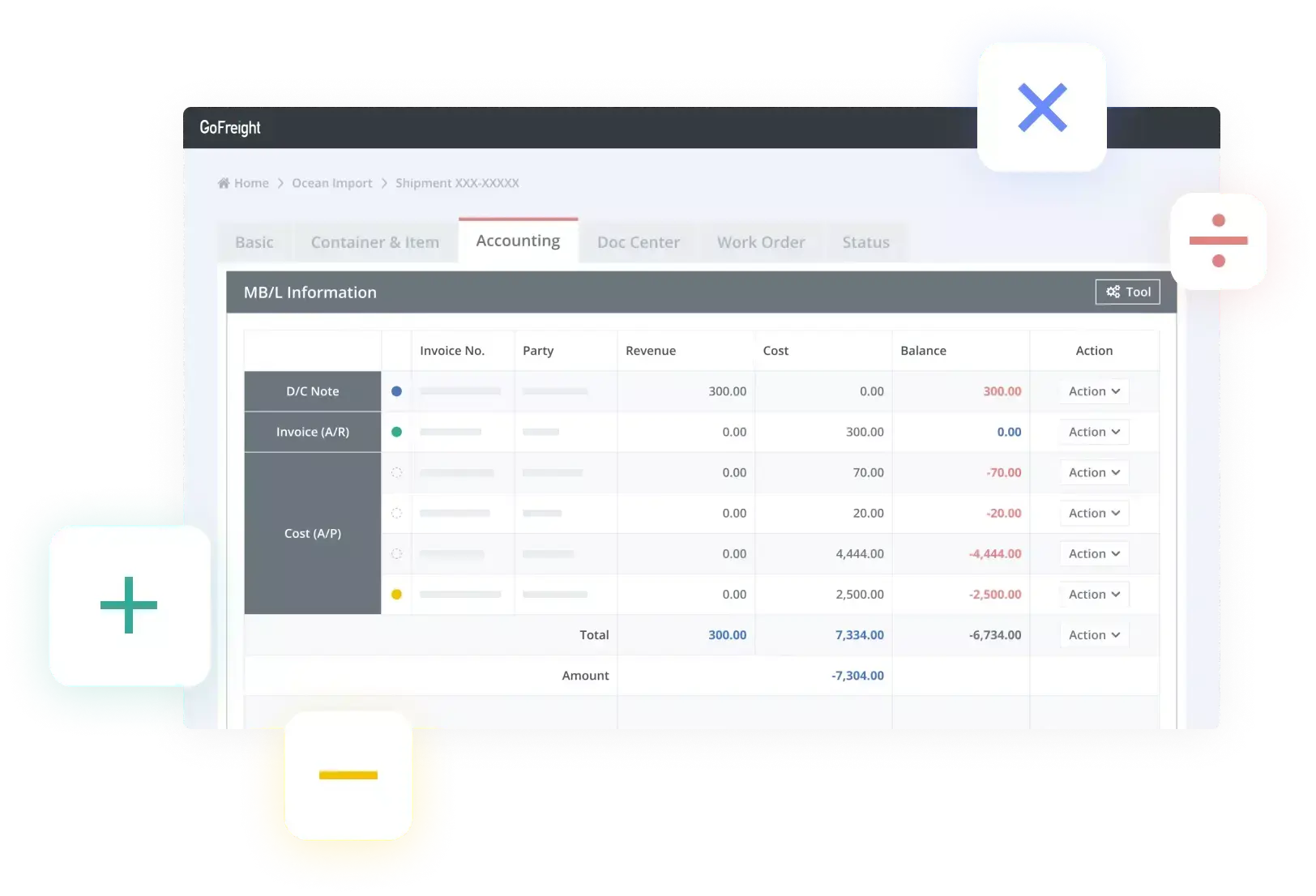
The accounting module in your freight forwarding software helps facilitate customer invoicing and helps compile financial statements, collections, and accounts receivables more easily. It boosts your business’s ability to maintain the high accounting standards needed to succeed. By maximizing today’s cloud based technology, you can easily reconcile the financial flow of your operations worldwide, such as settling your overseas agents’ fees and the resulting profits.
How Does GoFreight’s Accounting Module Enable Your Business To Do This?

GoFreight’s accounting module is a feature integrated into your freight-forwarding software right out of the box. This full-featured function efficiently manages invoices on your bills of lading, settles fees with your overseas agents, and can be synced with QuickBooks Online, or with other accounting systems through GoFreight’s open API. QuickBooks Desktop is not supported.
- Sync with Current Accounting Software and Systems
QuickBooks is an essential part of invoicing for many businesses. Many accountants and bookkeepers are already deeply familiar with this software, regardless of industry. In the case of freight forwarding, this is one of the most widely-used accounting software types today. GoFreight’s accounting module can easily sync with QuickBooks, enabling you to enjoy its full features quickly. Moreover, GoFreight’s accounting module is user friendly. If you have employees who are just beginning to learn to use technology for their work, GoFreight’s freight forwarding software, and its accounting module, are easy to get used to. - Simple Invoice Management With Clear HB/L MB/L Structure
Most accounting software is not as clearly linked to the shipment management system as GoFreight’s. With GoFreight’s accounting feature set, your shipment management system is clearly linked through a clear HB/L and MB/L structure. This way, you can quickly locate corresponding invoices based on invoice parties, shipments, or related bank accounts. - Easily Settles Overseas Agent Fees
This design enables you to settle fees with your overseas agent quickly. Moreover, you can view the profits easily as well. This section updates all APs/ARs for the same overseas agent as you edit the invoices. Because it is cloud based, you don’t have to worry about doing this task with your overseas agents wherever they are in the world. - Auto-Generated Reports for Quick Bank Reconciliation
Running standard account reports based on criteria, such as payment types, bank accounts, and dates, with the GoFreight accounting software is straightforward. You can also access aging reports and other standard reports with just a few clicks. - Your Accounting Software Is Constantly Updated To Meet the Demands of the Industry
GoFreight’s freight forwarding software is designed by people who worked in the industry. We know the challenges of the business, and we listen to our clients to ensure that they always get the best solutions available. Your accounting module and the rest of GoFreight’s freight forwarding software are constantly updated to keep up with the demands of the industry. With GoFreight’s software, you will get features that most accounting software overlooks.
GoFreight uses shipment based accounting: every charge is tied to the shipment that generated it, and charges carry from quote to shipment to invoice without rekeying. It supports multi entity accounting with separate general ledgers, billing codes, currencies and bank configurations for each entity. For the full feature set, see Freight Billing & Accounting Software for Forwarders, and for how the QuickBooks Online sync works, read our guide to freight software QuickBooks integration.
How Can GoFreight’s Accounting Module Help Your Business?

The list below includes just a few of the benefits and results that the accounting module can provide your business:
- Profit and Loss Statement: Your profit and loss statement is one of the most critical aspects of your business because it shows your business’s health by reporting where it stands financially. By generating a profit and loss statement quickly, you can have a granular analysis of your business’s well-being, identifying opportunities to gain more revenue.
- Maximizing Revenue: Aside from providing the profit and loss statement quickly, streamlining the financial aspects of your business can help you see more opportunities to maximize your revenues in other areas. For instance, by visiting the financial performance of your overseas agents, you can optimize how you do business with them quickly.
- Automated Invoicing: Freight charges and rates should be visible to employees dealing with individual customer accounts. By automating your invoicing, you can accurately create invoices and eliminate most errors.
- Accounts Receivables and Collections: Another aspect of your business that employees may overlook tracking of all the money owed to you. Your accounting module can help you send invoices on their respective due dates and reminders for fees past their dues.
- Make All Your Divisions Accountable: Your accounting software should let you set user privileges depending on their functions. This will help your divisions help fine-tune cost analysis according to their tasks. In the case of managers, they can access both accounting and operations, which allows them to gain insight into what is going on and make timely adjustments.
- Compliance: As a freight forwarding company, your business must constantly comply with regulatory requirements. Many of these are accounting-related. For instance, you must ensure that your duties and taxes are accounted for. This way, you can ensure that your freight is adequately managed and reaches its destination quickly.
Conclusion: GoFreight’s Freight Forwarding Software Has an Integrated Accounting Module
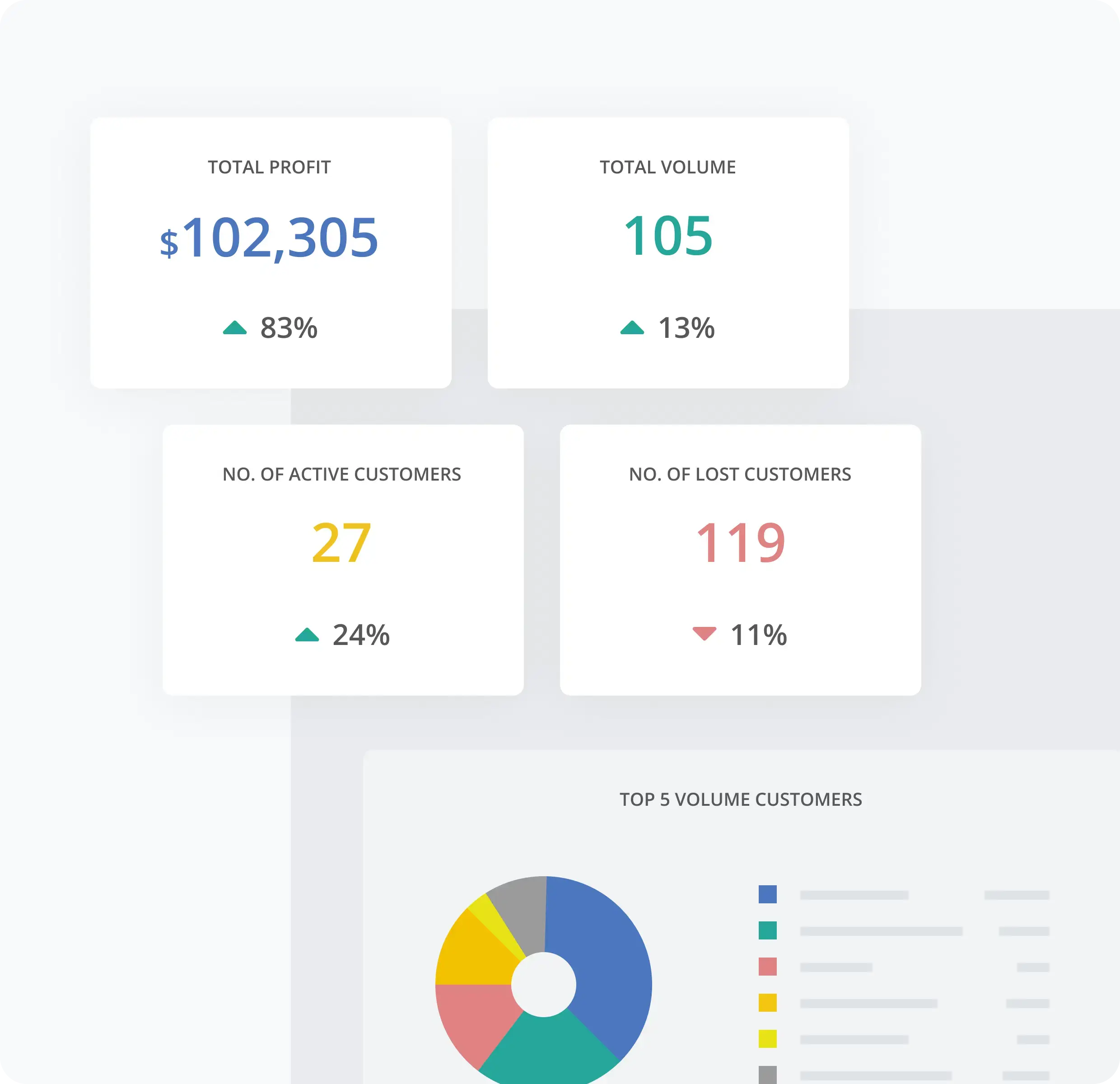
GoFreight’s freight forwarding software helps boost your business’s capability, so you can keep up with the ever-changing demands of the industry and maximize its profitability through an integrated accounting module. With easy-to-use features and seamless integration into your current accounting systems, you can gain a better grasp on your financials soon after deploying your software. With our top-notch customer service, we will ensure that you can realize your business goals quickly.
Ship Faster. Scale Smarter.
See how GoFreight carries charges from quote to shipment to invoice, keeps separate ledgers per entity and syncs with QuickBooks Online.
Frequently Asked Questions
What type of accounting software is best for freight forwarding companies?
Shipment based accounting software inside a freight forwarding system is the best fit for most freight forwarding companies, because every charge, cost and invoice stays tied to the shipment that created it. Look for software that also settles overseas agent accounts, handles multiple currencies and entities, and connects to the general ledger your finance team already uses.
What is freight forwarding accounting software?
Freight forwarding accounting software is accounting built around shipments: it generates invoices from shipment data, tracks receivables and payables, settles accounts with overseas agents and reports profit per shipment. It then passes the results to the company’s general ledger or runs the ledger itself.
What is shipment based accounting?
Shipment based accounting ties every charge and cost to the shipment that generated it, so a forwarder can see revenue, cost and profit for each job. GoFreight uses shipment based accounting, and charges carry from quote to shipment to invoice without rekeying.
How do you connect accounting and operations in a freight forwarding company?
You connect accounting and operations by running both on the same shipment record, so the charges operations enter become the invoices and payables accounting works with. The freight forwarding software then syncs invoices, bills and payments to the general ledger through a native connector or an API.
Does GoFreight integrate with QuickBooks?
Yes, GoFreight connects natively to QuickBooks Online. QuickBooks Desktop is not supported, and other accounting systems connect through GoFreight’s open API.
What should freight forwarders look for in accounting software?
Freight forwarders should look for shipment based accounting, charges that carry from quote to invoice, overseas agent settlement, multi currency and multi entity support, aging and profit reports, and a documented connection to their accounting system. Test each one with a real shipment during the demo.
What is the best freight forwarding management software?
The best freight forwarding management software is the one that covers your modes and lanes, keeps operations and accounting on the same shipment record, and connects to the systems you already use. Compare platforms by running your own shipments through each demo, and see our best freight management software comparison for the main options by buyer segment.